The PicCat Analysis Blind Watermark Tool can detect and extract invisible watermark information hidden in pictures, and is used for copyright verification and source tracking of original pictures, product images and design materials.
Applicable scenarios
Suitable for personal, operational, e-commerce and office scenarios that need to quickly complete Analyze blind watermark.
Support the completion of main operations in the browser, and preview the effects and parameters before processing.
It is suitable for batch organizing materials, optimizing release files, and improving the usability of pictures or documents.
Usage steps
Open the Analyze blind watermark page and select the picture or file that needs to be processed.
Adjust processing mode, size, quality or AI parameters according to page prompts.
After confirming the preview result, export the file and continue processing the next one or return to the tool list.
Analyze blind watermarkTreatment effect case
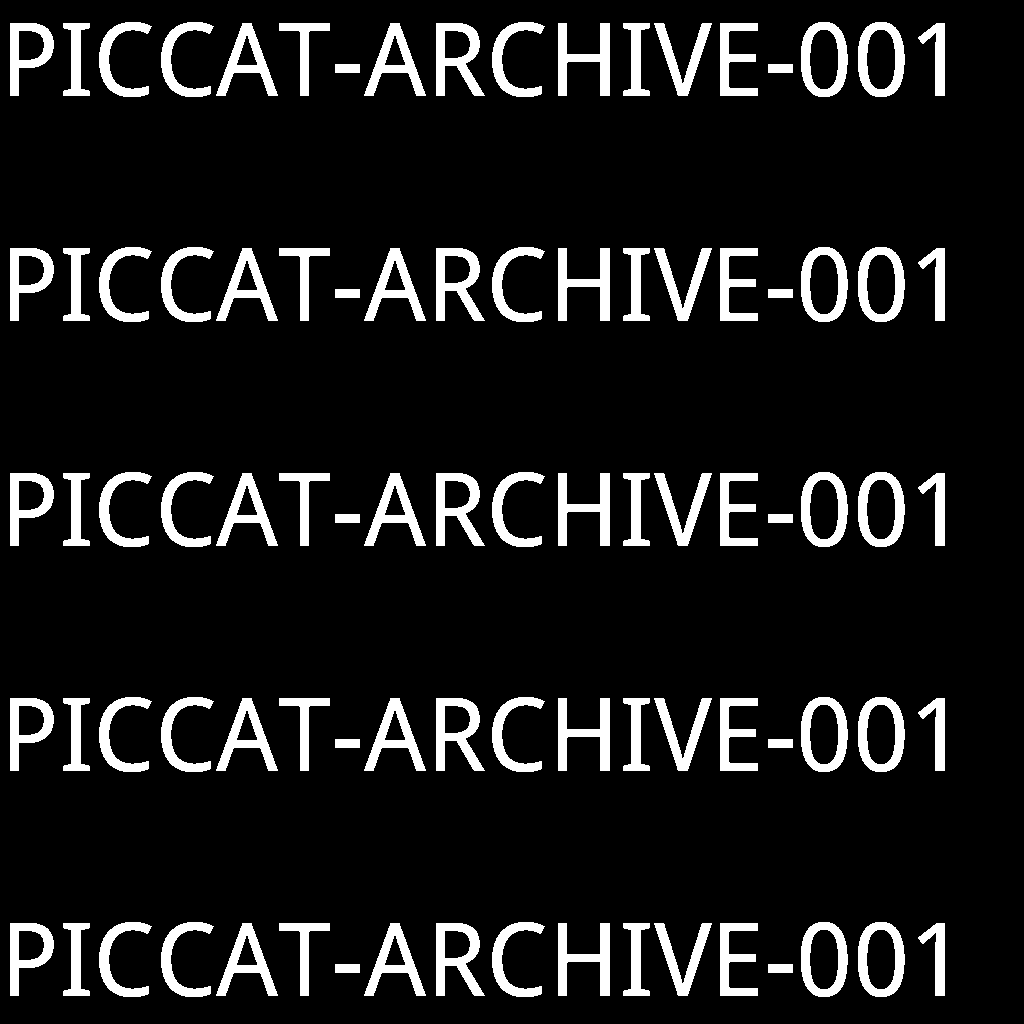
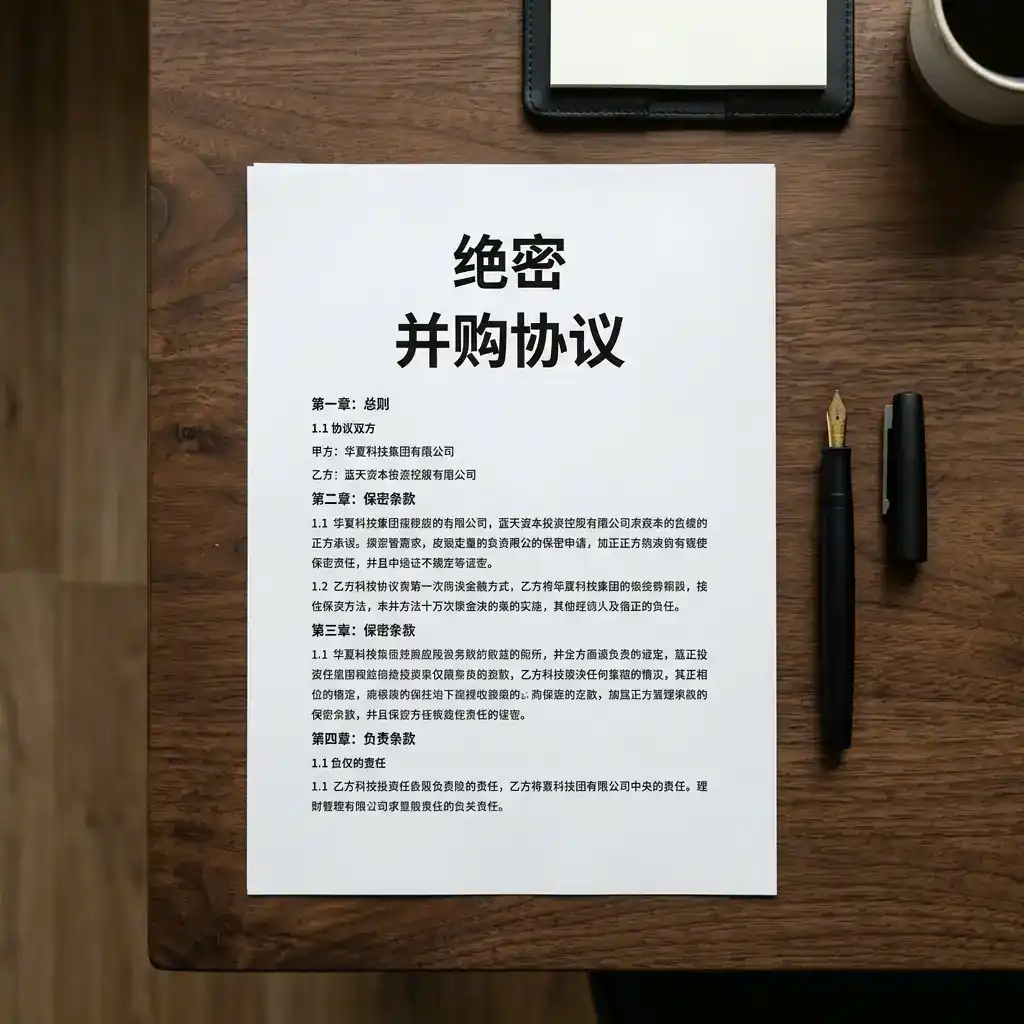
Hidden-mark extraction from an agreement example
Embed PICCAT-ARCHIVE-001 in the existing agreement example and extract the actual monochrome watermark. This helps check the sample marker and does not prove the agreement's authenticity or copyright ownership.
Hidden-mark extraction from a watch example
Embed PICCAT-ASSET-002 in the existing watch example and reveal its hidden text. This demonstration marker does not establish brand authorization or a conclusive source.
Hidden-mark extraction from a tea-set photo
Embed the sample marker PICCAT-DEMO-001 in a tea-set photograph, then use the extraction tool to reveal it in a monochrome image.
Hidden-mark extraction from a produce photo
Embed the sample marker PICCAT-DEMO-002 in a photograph of produce in a Chinese supermarket, then reveal the hidden text using the extraction tool.
Hidden-mark extraction from an appliance photo
Embed the sample marker PICCAT-DEMO-003 in a rice-cooker photograph and compare its largely unchanged appearance with the actual revealed watermark.
Hidden-mark extraction from a footwear photo
Embed the sample marker PICCAT-DEMO-004 in a cloth-shoe photograph and reveal the hidden watermark through actual extraction.
Hidden-mark extraction from a park notice
Embed the sample marker PICCAT-DEMO-005 in a photograph of a park notice and reveal the hidden mark in the outdoor text image.
Hidden-mark extraction from a menu photo
Embed the sample marker PICCAT-DEMO-006 in a restaurant-menu photograph and reveal it through actual extraction while keeping the menu visible in the input image.
Hidden-mark extraction from a train sign
Embed the sample marker PICCAT-DEMO-007 in a train-sign photograph, then extract it into a monochrome image to check the hidden mark.
Frequently Asked Questions
What usage scenarios does Analyze blind watermark support?
The PicCat Analysis Blind Watermark Tool can detect and extract invisible watermark information hidden in pictures, and is used for copyright verification and source tracking of original pictures, product images and design materials. Common uses include Analyze blind watermarks, extract invisible watermarks, image copyright traceability, and watermark detection, etc.
Will Analyze blind watermark save my original file?
PicCat only provides online multimedia editing technology services. Some lightweight functions are processed locally in the browser, and functions involving AI or high-precision conversion will call cloud processing. After the processing is completed, the temporary files will be destroyed according to the page declaration.
What should I do if Analyze blind watermark fails to process?
It is recommended to check the file format, size and clarity first, and if necessary, replace the file and try again. If it fails multiple times, you can submit a problem through the feedback portal in the upper right corner of the page.
Detect hidden marks in an image, then view and save the extraction result.
Case 01
Hidden-mark extraction from an agreement example
Embed PICCAT-ARCHIVE-001 in the existing agreement example and extract the actual monochrome watermark. This helps check the sample marker and does not prove the agreement's authenticity or copyright ownership.
Image with an embedded watermark→Actual monochrome watermark
Upload an original image containing a PicCat invisible watermark and wait for detection.
View and save the extracted mark. Heavy compression or cropping may affect detection.
Revealed watermarks help check compatible hidden markers. They do not establish copyright ownership or file authenticity.
Case pictures are loading...
Case 02
Hidden-mark extraction from a watch example
Embed PICCAT-ASSET-002 in the existing watch example and reveal its hidden text. This demonstration marker does not establish brand authorization or a conclusive source.
Image with an embedded watermark→Actual monochrome watermark
Upload an original image containing a PicCat invisible watermark and wait for detection.
View and save the extracted mark. Heavy compression or cropping may affect detection.
Revealed watermarks help check compatible hidden markers. They do not establish copyright ownership or file authenticity.
Case pictures are loading...
Case 03
Hidden-mark extraction from a tea-set photo
Embed the sample marker PICCAT-DEMO-001 in a tea-set photograph, then use the extraction tool to reveal it in a monochrome image.
Image with an embedded watermark→Actual monochrome watermark
Upload an original image containing a PicCat invisible watermark and wait for detection.
View and save the extracted mark. Heavy compression or cropping may affect detection.
Revealed watermarks help check compatible hidden markers. They do not establish copyright ownership or file authenticity.Original source · Gary Stevens · CC BY 2.0A sample blind watermark was embedded and actually extracted. The input display image uses lossless compression, and the processed image retains the original license.
Case pictures are loading...
Case 04
Hidden-mark extraction from a produce photo
Embed the sample marker PICCAT-DEMO-002 in a photograph of produce in a Chinese supermarket, then reveal the hidden text using the extraction tool.
Image with an embedded watermark→Actual monochrome watermark
Upload an original image containing a PicCat invisible watermark and wait for detection.
View and save the extracted mark. Heavy compression or cropping may affect detection.
Revealed watermarks help check compatible hidden markers. They do not establish copyright ownership or file authenticity.Original source · ORUM 2 ZEOWM · CC0A sample blind watermark was embedded and actually extracted. The input display image uses lossless compression, and the processed image retains the original license.
Case pictures are loading...
Case 05
Hidden-mark extraction from an appliance photo
Embed the sample marker PICCAT-DEMO-003 in a rice-cooker photograph and compare its largely unchanged appearance with the actual revealed watermark.
Image with an embedded watermark→Actual monochrome watermark
Upload an original image containing a PicCat invisible watermark and wait for detection.
View and save the extracted mark. Heavy compression or cropping may affect detection.
Revealed watermarks help check compatible hidden markers. They do not establish copyright ownership or file authenticity.Original source · Dinkun Chen · CC BY-SA 4.0A sample blind watermark was embedded and actually extracted. The input display image uses lossless compression, and the processed image retains the original license.
Case pictures are loading...
Case 06
Hidden-mark extraction from a footwear photo
Embed the sample marker PICCAT-DEMO-004 in a cloth-shoe photograph and reveal the hidden watermark through actual extraction.
Image with an embedded watermark→Actual monochrome watermark
Upload an original image containing a PicCat invisible watermark and wait for detection.
View and save the extracted mark. Heavy compression or cropping may affect detection.
Revealed watermarks help check compatible hidden markers. They do not establish copyright ownership or file authenticity.Original source · Anna Frodesiak · CC0A sample blind watermark was embedded and actually extracted. The input display image uses lossless compression, and the processed image retains the original license.
Case pictures are loading...
Case 07
Hidden-mark extraction from a park notice
Embed the sample marker PICCAT-DEMO-005 in a photograph of a park notice and reveal the hidden mark in the outdoor text image.
Image with an embedded watermark→Actual monochrome watermark
Upload an original image containing a PicCat invisible watermark and wait for detection.
View and save the extracted mark. Heavy compression or cropping may affect detection.
Revealed watermarks help check compatible hidden markers. They do not establish copyright ownership or file authenticity.Original source · Karoke Cirno · CC BY-SA 4.0A sample blind watermark was embedded and actually extracted. The input display image uses lossless compression, and the processed image retains the original license.
Case pictures are loading...
Case 08
Hidden-mark extraction from a menu photo
Embed the sample marker PICCAT-DEMO-006 in a restaurant-menu photograph and reveal it through actual extraction while keeping the menu visible in the input image.
Image with an embedded watermark→Actual monochrome watermark
Upload an original image containing a PicCat invisible watermark and wait for detection.
View and save the extracted mark. Heavy compression or cropping may affect detection.
Revealed watermarks help check compatible hidden markers. They do not establish copyright ownership or file authenticity.Original source · Shwangtianyuan · CC BY-SA 4.0A sample blind watermark was embedded and actually extracted. The input display image uses lossless compression, and the processed image retains the original license.
Case pictures are loading...
Case 09
Hidden-mark extraction from a train sign
Embed the sample marker PICCAT-DEMO-007 in a train-sign photograph, then extract it into a monochrome image to check the hidden mark.
Image with an embedded watermark→Actual monochrome watermark
Upload an original image containing a PicCat invisible watermark and wait for detection.
View and save the extracted mark. Heavy compression or cropping may affect detection.
Revealed watermarks help check compatible hidden markers. They do not establish copyright ownership or file authenticity.Original source · N509FZ · CC BY-SA 4.0A sample blind watermark was embedded and actually extracted. The input display image uses lossless compression, and the processed image retains the original license.
 Restoring your images and input…