PicCat (hereinafter referred to as "we") attaches great importance to the security of your personal information and uploaded files. This policy describes the actual rules for local browser processing, cloud processing, third-party AI services, file retention periods, and user rights.
1. Information we collect
1.1 Information provided by you voluntarily
Account information: User name, email, WeChat ID and other information required for registration, login and account management.
Processing files: Pictures, PDFs, reference pictures, masks and other files required to complete the task that you actively select.
Processing requirements: The prompt words, parameters, target format and other task descriptions you input.
Order and feedback: Purchase records, manual order requirements, contact information and screenshots of feedback submitted by you.
1.2 Automatically collected information
Equipment and network information: Browser type, operating system, IP, device identification, etc., for compatibility, security and abuse prevention.
Log information: Access time, function usage records, task status, expenses and error logs, etc.
2. Use of information
The information we collect will be used for the following purposes:
Complete image, PDF, video and AI processing tasks initiated by you.
Complete quota verification, credits settlement, order processing and operation record display.
Troubleshooting, maintaining services, ensuring account security and preventing abuse.
Fulfill the obligations stipulated in laws and regulations.
3. Storage and protection of information
Local processing: The function clearly marked "local processing" is completed in the browser, and the processed files will not be uploaded to the PicCat server.
Ordinary cloud results: Processing results are expected to be retained 24 hours for result display and download, please save in time.
Operation history pictures: The original image and result image of the login account are currently displayed at the most 7 days, the operation record may only retain task information after expiration.
Special business: Contents requiring manual review such as manual orders, feedback screenshots, etc. may adopt different storage cycles, and be separately explained on the corresponding page.
Account and audit data: Task number, processing type, status, fee, order and security log will be saved according to the period required for providing services, handling disputes and legal compliance.
Transmission and access: Cloud processing uses HTTPS and non-semantic random storage paths. Please do not share the result link with irrelevant people.
4. Delete immediately: you decide when the file will be cleared
🔒
Privacy is priority, deletion will take effect
We respect your right to control the files you upload. After you actively choose to delete, the task file cleanup will be performed immediately; after the file is successfully deleted, it cannot be restored or re-downloaded.
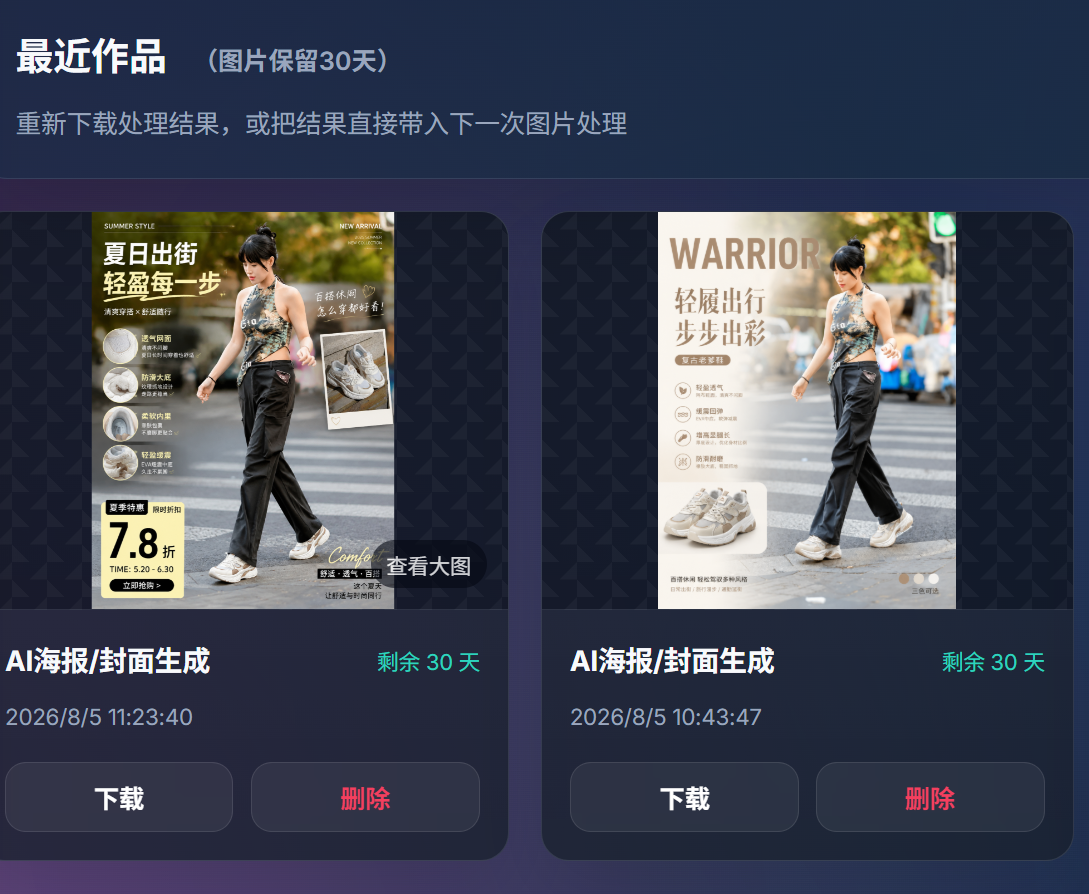
You can delete through any of the following entrances. The two operations have the same effect: the uploaded original images, reference images and processing results of the task will be permanently deleted, and the recent works and visible operation records corresponding to the task in the user center will be removed.
Mode one
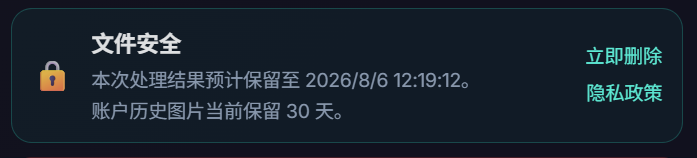
Select "Delete Now" on the results page
After the processing is completed, click "Delete Now" in the "File Security" area to clear the cloud files and recent work records of this task.
Mode two
Delete in "User Center → Recent Works"
If you did not delete it immediately, you can also click "Delete" in "User Center → Recent Works" later; this will perform the same permanent file deletion process.
Note: In order to fulfill laws and regulations, financial settlement and security and anti-abuse obligations, we may retain necessary order, billing and security audit information that does not include file content and preview images; this information will not be displayed in "Recent Works", nor can it be used to restore your files.
Five, third-party processing services
Some AI, OCR, image repair, document conversion and other functions require calling third-party cloud services. To complete the task, we may send necessary files, temporary file addresses, prompt words and processing parameters to the corresponding service provider.
Third-party services are only called within the scope necessary to complete the tasks initiated by you.
We will not sell your uploaded content, nor will we actively display it publicly.
We will not take the initiative to use uploaded content as training data for PicCat's own model; the data processing of third-party services is also subject to its service agreement, data protection configuration and mutual agreement.
When important changes occur to third-party suppliers, we will update this policy or related page descriptions.
6. Your rights
You have the following rights regarding your personal information:
Access and Correction: You can query accounts, quotas, orders and operation records in the user center.
Delete: You can apply to delete your account and related data; except for orders and audit records that must be retained according to law.
Delete files in advance: You can use "Delete Now" on the results page, or delete the corresponding work in "User Center → Recent Works"; both entrances will permanently clear the files and visible work records of the task.
Withdrawal and discontinuation of use: You can stop using cloud functionality, or use only clearly labeled local processing tools.
7. Protection of minors
We attach great importance to the protection of minors’ personal information. If you are a minor under the age of 18, you should obtain the consent of your parent or legal guardian before using our services.
Eight, policy update
We may update this policy from time to time. The updated policy will be posted on this page, and we will notify you through pop-ups or announcements when there are major changes.
9. Contact us
If you have any questions, comments or suggestions about this privacy policy, you can contact us in the following ways:
Submit feedback on the mini program "My" page
Contact customer service through the website "User Center"
Log in with WeChat
Open WeChat to scan the code and confirm login in the PicCat applet
 Restoring your images and input…