Clean up the window shadows, gray background and uneven lighting on the shooting contract, correct the page and enhance the readability of the text
 Restoring your images and input…
The PicCat text photo repair tool supports enhanced photographic documents, scanned documents, receipts and courseware screenshots, making the text clearer and readable, and is suitable for organizing office and study materials.
Clean up the window shadows, gray background and uneven lighting on the shooting contract, correct the page and enhance the readability of the text
Enhance the text and stamp outline in a contract photograph. This monochrome document result does not retain the original stamp color.
Enhance the Chinese item names, English descriptions and prices on a café menu, checking the text and alignment before and after processing.
Enhance a Dongguan restaurant menu photograph and compare the readability of dish names, prices and columns. Check the text before downloading.
Enhance text and table edges on a park-management notice, checking that the heading, contact details and map labels match the original.
Improve a photograph of a river-management notice and inspect the responsibility details, table and numbers at a larger scale.
Enhance the Chinese, English and price information on a visitor-service sign, comparing text edges and background contrast without changing the notice.
Enhance station names, pinyin and train numbers on a train-route sign, comparing text edges and page correction.
Enhance the train numbers, station names and route information on a train sign. Compare readability and page correction, and check the numbers before downloading.
The PicCat text photo repair tool supports enhanced photographic documents, scanned documents, receipts and courseware screenshots, making the text clearer and readable, and is suitable for organizing office and study materials. Common uses include Text photo repair, document photo repair, scanned document enhancement, and text clarity, etc.
PicCat only provides online multimedia editing technology services. Some lightweight functions are processed locally in the browser, and functions involving AI or high-precision conversion will call cloud processing. After the processing is completed, the temporary files will be destroyed according to the page declaration.
It is recommended to check the file format, size and clarity first, and if necessary, replace the file and try again. If it fails multiple times, you can submit a problem through the feedback portal in the upper right corner of the page.
Improve shadows and text clarity in a document photo, check and download.
Clean up the window shadows, gray background and uneven lighting on the shooting contract, correct the page and enhance the readability of the text
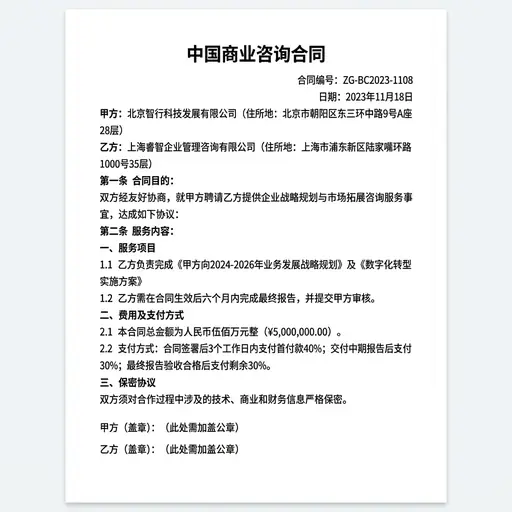
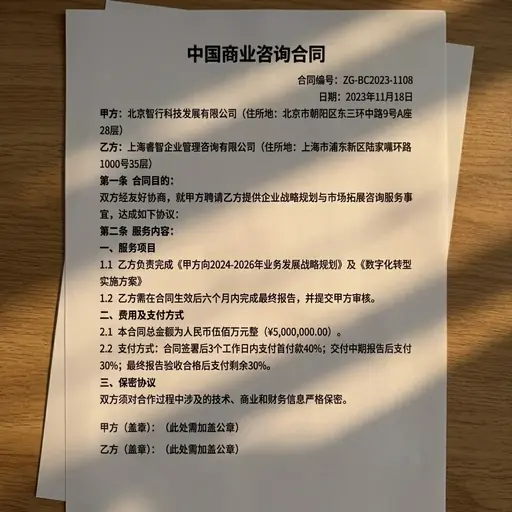
Enhance the text and stamp outline in a contract photograph. This monochrome document result does not retain the original stamp color.


Enhance the Chinese item names, English descriptions and prices on a café menu, checking the text and alignment before and after processing.


Enhance a Dongguan restaurant menu photograph and compare the readability of dish names, prices and columns. Check the text before downloading.


Enhance text and table edges on a park-management notice, checking that the heading, contact details and map labels match the original.


Improve a photograph of a river-management notice and inspect the responsibility details, table and numbers at a larger scale.


Enhance the Chinese, English and price information on a visitor-service sign, comparing text edges and background contrast without changing the notice.


Enhance station names, pinyin and train numbers on a train-route sign, comparing text edges and page correction.


Enhance the train numbers, station names and route information on a train sign. Compare readability and page correction, and check the numbers before downloading.