PicCat Restoring your images and input…

AI product color change

AI product color changeInstructions for use

PicCat AI product color changing tool can naturally modify the color of the main body of the product, and is suitable for the production of multi-color SKU images such as clothing, shoes and bags, digital products, and beauty products, reducing repeated shooting.

Applicable scenarios

  • Suitable for personal, operational, e-commerce and office scenarios that need to quickly complete AI product color change.
  • Support the completion of main operations in the browser, and preview the effects and parameters before processing.
  • It is suitable for batch organizing materials, optimizing release files, and improving the usability of pictures or documents.

Usage steps

  1. Open the AI product color change page and select the picture or file that needs to be processed.
  2. Adjust processing mode, size, quality or AI parameters according to page prompts.
  3. After confirming the preview result, export the file and continue processing the next one or return to the tool list.

AI product color changeTreatment effect case

Leather handbag color change

Adjust the orange-red leather bag to dark green, retaining the leather texture, metal accessories and background light and shadow

Modern Hanfu color change

Only the main color of modern Hanfu is modified, perfectly retaining the Chinese garden background and the light and shadow texture of the clothing.

Intelligent tea set color changing

Only the main color of the smart tea set is modified, perfectly retaining the light, shadow and perspective of the Zen tea table background.

Frequently Asked Questions

What usage scenarios does AI product color change support?

PicCat AI product color changing tool can naturally modify the color of the main body of the product, and is suitable for the production of multi-color SKU images such as clothing, shoes and bags, digital products, and beauty products, reducing repeated shooting. Common uses include AI product color change, product color change, product color change, SKU picture, etc.

Will AI product color change save my original file?

PicCat only provides online multimedia editing technology services. Some lightweight functions are processed locally in the browser, and functions involving AI or high-precision conversion will call cloud processing. After the processing is completed, the temporary files will be destroyed according to the page declaration.

What should I do if AI product color change fails to process?

It is recommended to check the file format, size and clarity first, and if necessary, replace the file and try again. If it fails multiple times, you can submit a problem through the feedback portal in the upper right corner of the page.
Three color changing references

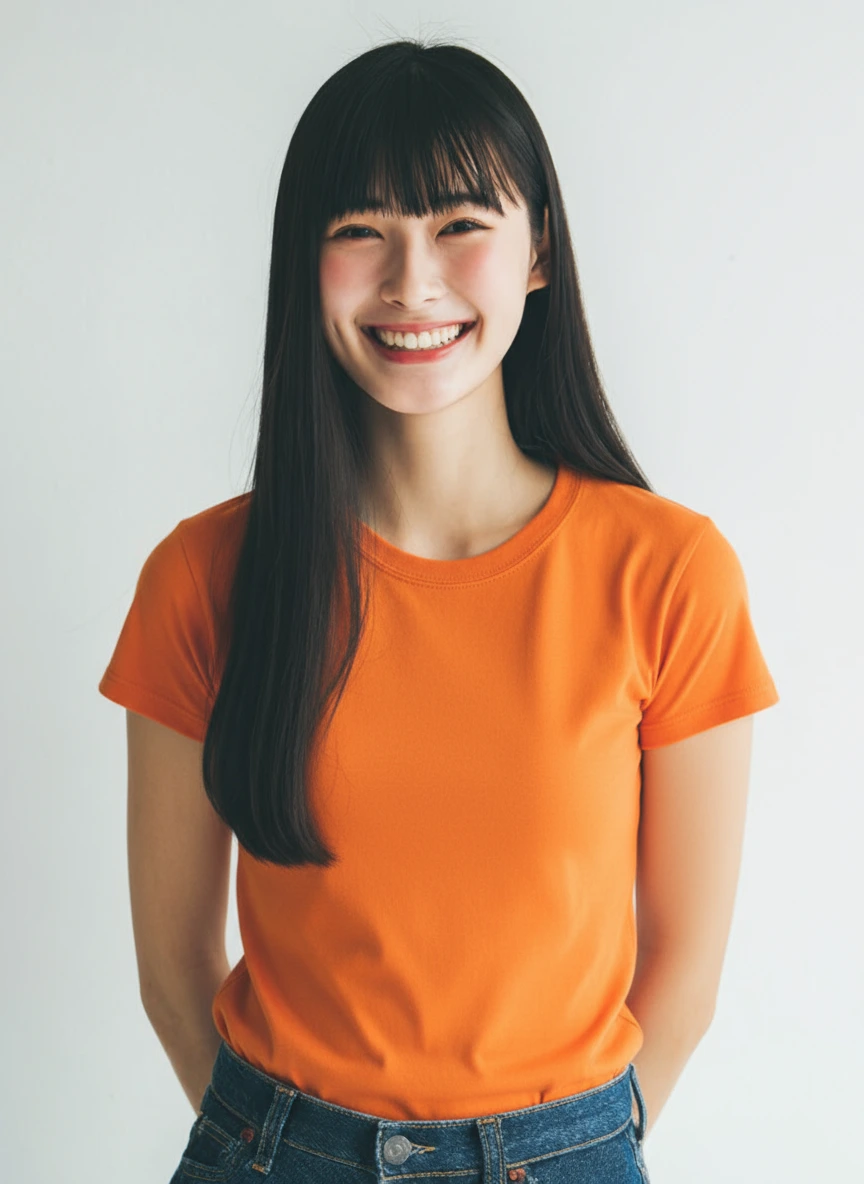
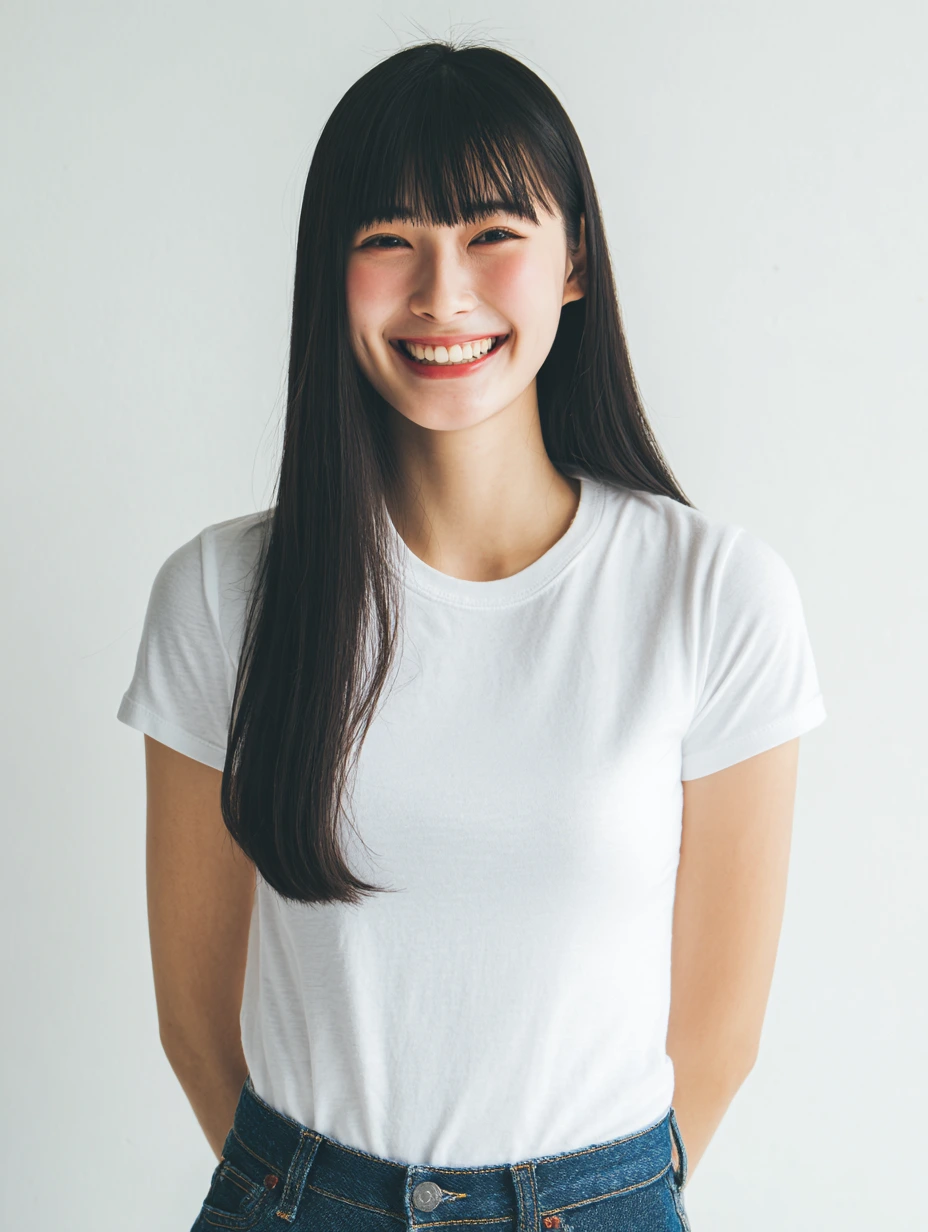
Clothing color change reference result
Clothing color changeRefer to the original picture
Case pictures are loading...

Clothing color change

White short sleeves turn orange, observe the boundaries between clothes, skin color and hair.

Pay attention to wrinkles, texture and unmodified areas.
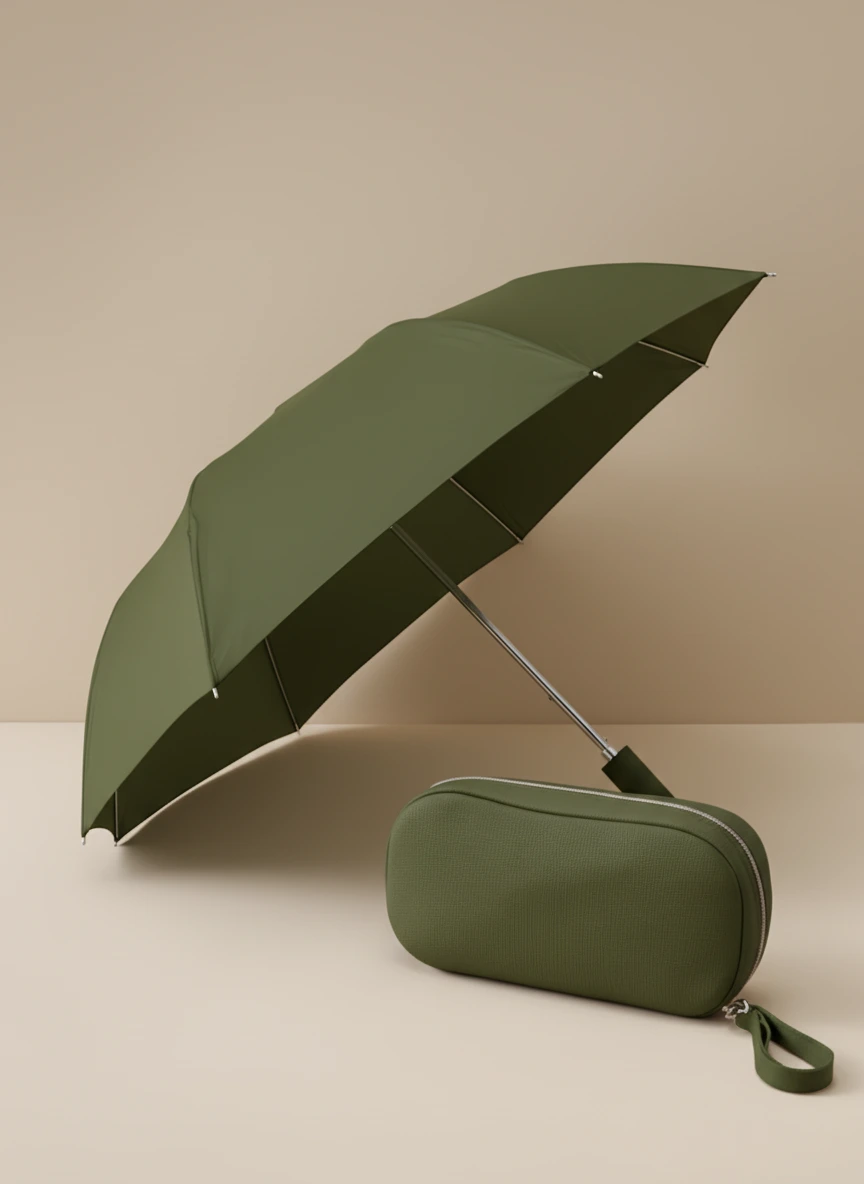
Product color change reference result
Product color changeRefer to the original picture
Case pictures are loading...

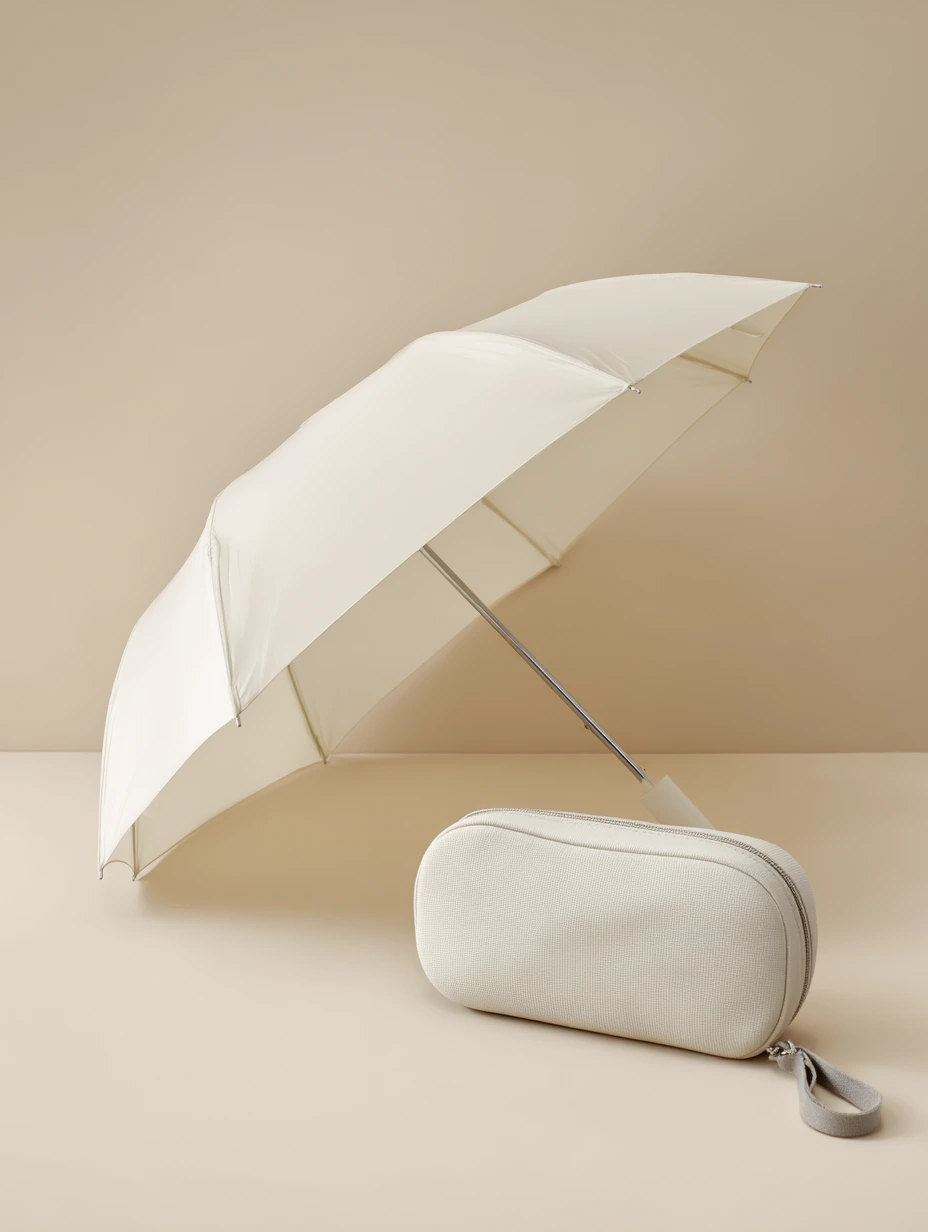
Product color change

Umbrellas and bags turn into olive green, and the color performance of different materials is observed.

When multiple products change colors, each modification object needs to be clearly written.
Background color change reference result
Background color changeRefer to the original picture
Case pictures are loading...

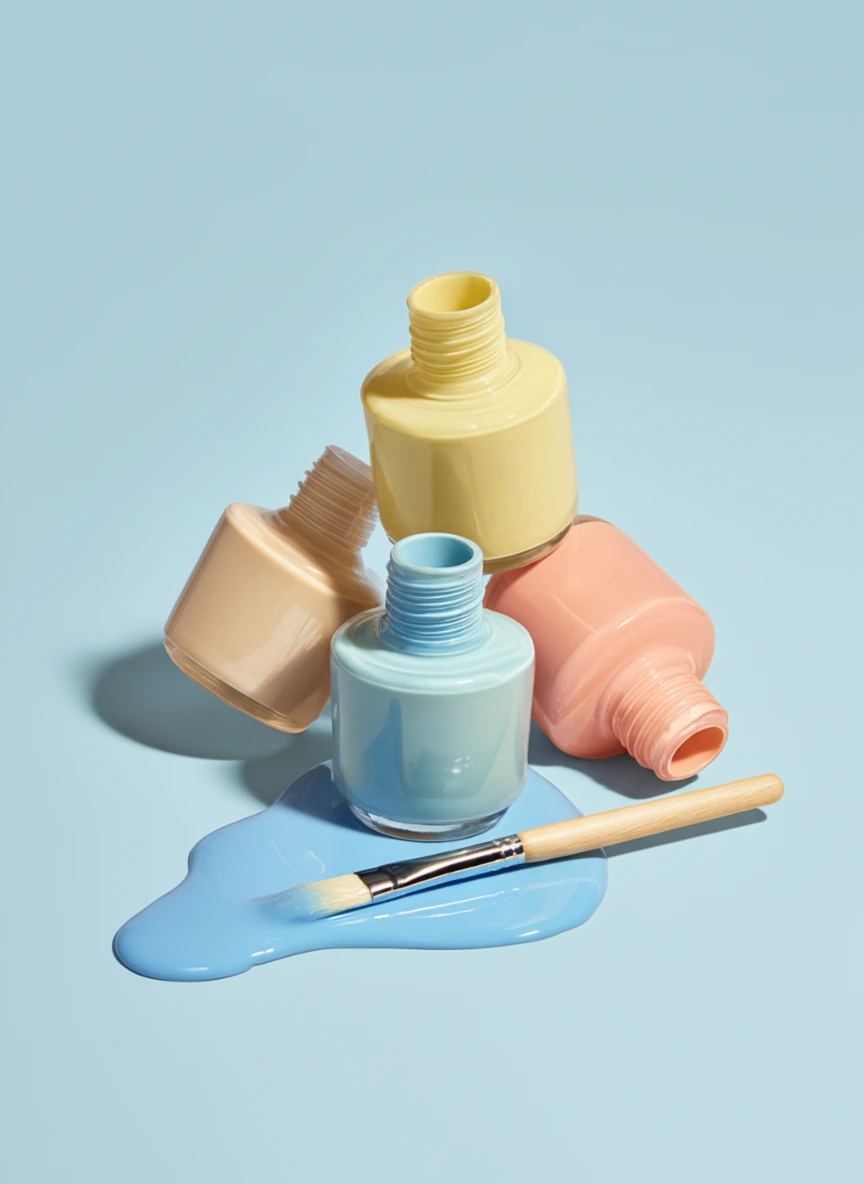
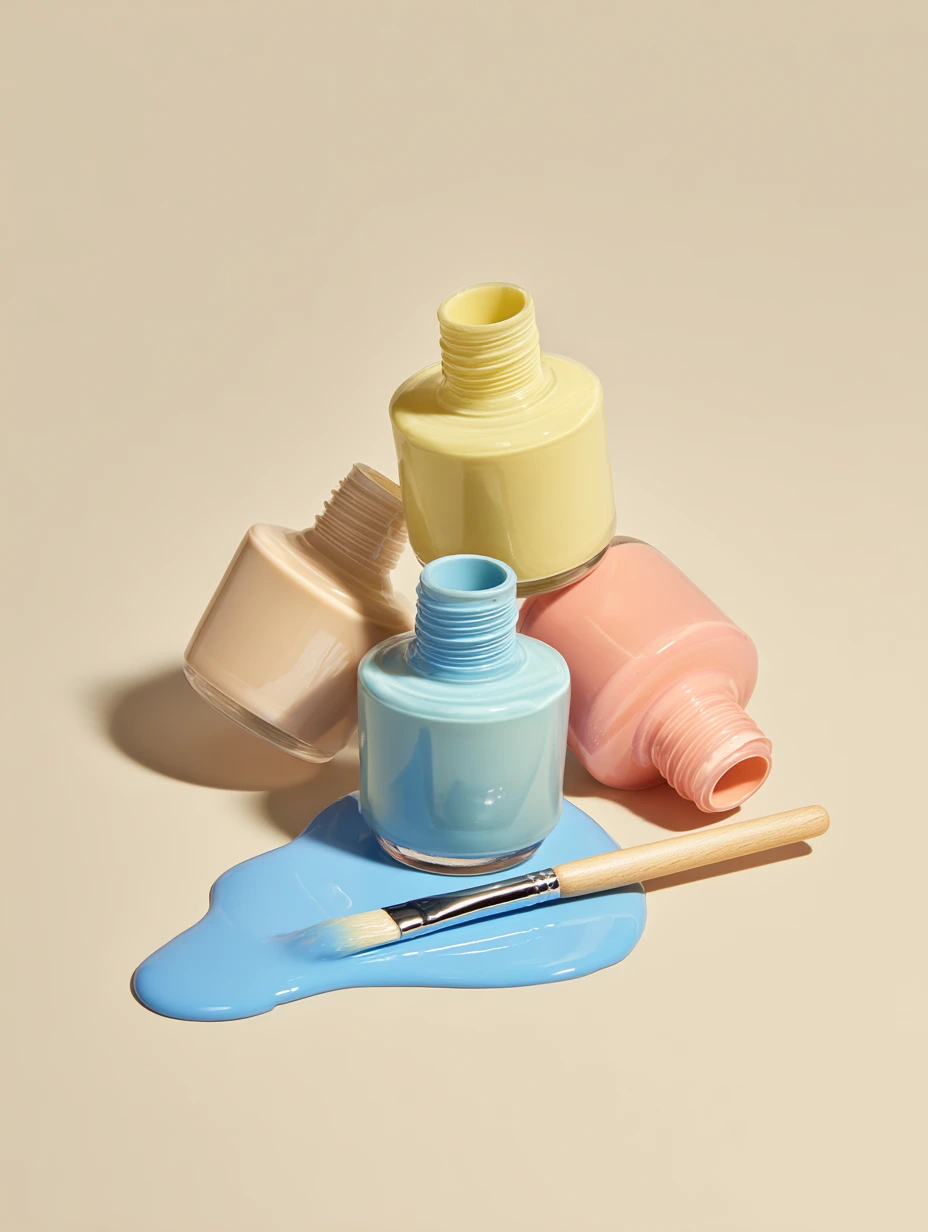
Background color change

The background changes from beige to light blue, and the main body of the product is used as a reserved object.

This is a background-editing reference. Product Recolor preserves the background; use AI Product Photos to change it.

Drag the divider to view comparison. There are slight differences in the front and rear dimensions of the reference pictures, and they are shown in original proportions.

Real picture modification case

See how to generate multi-color SKU diagrams for 5 categories of goods

From clothing, shoes and bags to home furnishings and digital products, drag the comparison slider to see the effect of changing only the color of the main body of the product while retaining the material, structure and scene details.

Case 01

Dress multi-color SKU color change

Change the red dress to haze blue, retaining the skirt pleats, waist ties, character postures, and studio lighting.

Classic red dress→Haze Blue SKU
  • Upload a product image with a clear subject and uniform lighting, and indicate the target color that needs to be replaced.
  • After generation, please check whether the logo, text, hardware, highlights and colors are consistent with the actual product.
The example only shows the color changing idea; the actual effect will be affected by the product material, reflective area and original image clarity.
AI product color change case: the dress is changed to haze blue and the folds and character posture are retained
AI product color change case: red dress model display picture
Case pictures are loading...
Case 02

Color change of sports shoe material details

Change the white sports shoes to bright orange color matching, and the shoelaces, mesh, stitching and thick sole texture are still clear and natural.

Pure white sports shoes→Bright orange upper
  • Upload a product image with a clear subject and uniform lighting, and indicate the target color that needs to be replaced.
  • After generation, please check whether the logo, text, hardware, highlights and colors are consistent with the actual product.
The example only shows the color changing idea; the actual effect will be affected by the product material, reflective area and original image clarity.
AI product color change case: sports shoes are changed to bright orange and the mesh and shoelace details are retained
AI product color change case: white sneakers product image
Case pictures are loading...
Case 03

Home scene sofa color change

In the actual living room scene, the light gray single sofa is changed to forest green without affecting the carpet, wooden floor, and ambient light and shadow.

Light gray fabric sofa→Forest green sofa
  • Upload a product image with a clear subject and uniform lighting, and indicate the target color that needs to be replaced.
  • After generation, please check whether the logo, text, hardware, highlights and colors are consistent with the actual product.
The example only shows the color changing idea; the actual effect will be affected by the product material, reflective area and original image clarity.
AI product color change case: the living room background and light and shadow remain unchanged after the sofa is changed to forest green
AI product color change case: light gray fabric single sofa in the living room
Case pictures are loading...
Case 04

Leather handbag color change

Change the off-white handbag to burgundy, retaining the leather grain, stitching, metal accessories and bottom shadow.

Off-white handbag→Burgundy handbag
  • Upload a product image with a clear subject and uniform lighting, and indicate the target color that needs to be replaced.
  • After generation, please check whether the logo, text, hardware, highlights and colors are consistent with the actual product.
The example only shows the color changing idea; the actual effect will be affected by the product material, reflective area and original image clarity.
AI product color change case: the leather texture and hardware are retained after the handbag is changed to burgundy
AI product color change case: off-white leather ladies handbag
Case pictures are loading...
Case 05

Headphone metal texture color change

Change the silver-gray headphones to lake blue, retaining the metal reflection, earmuff layer, buttons and desktop reflection.

silver gray headphones→Lake blue headphones
  • Upload a product image with a clear subject and uniform lighting, and indicate the target color that needs to be replaced.
  • After generation, please check whether the logo, text, hardware, highlights and colors are consistent with the actual product.
The example only shows the color changing idea; the actual effect will be affected by the product material, reflective area and original image clarity.
AI product color change case: after the headphones are changed to lake blue, the metal highlights and desktop reflections are retained
AI product color change case: silver-gray headphones on the desktop
Case pictures are loading...