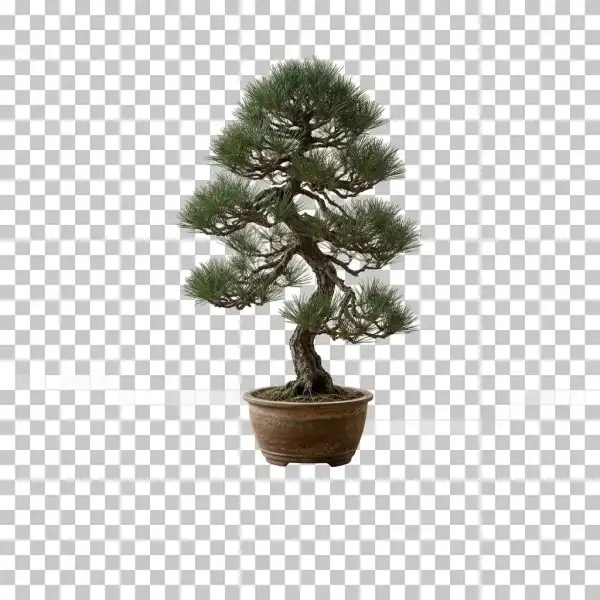
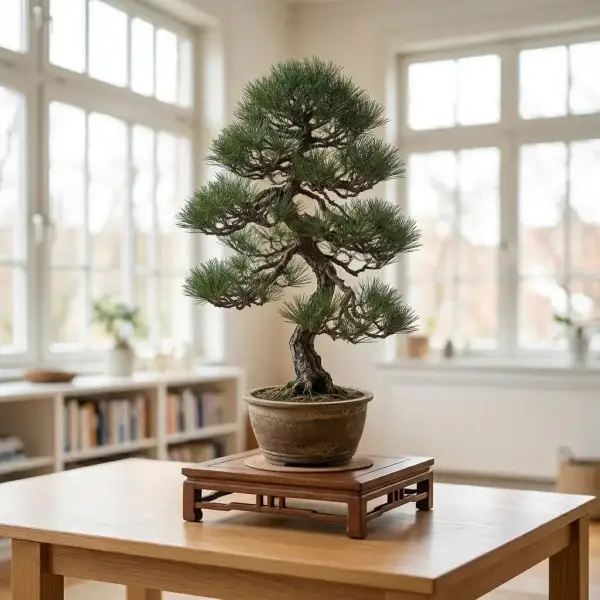
Remove the indoor display background while retaining the bonsai’s branches, trunk and pot.
 Restoring your images and input…
The PicCat AI cutout tool can automatically identify commodities, portraits, objects, animals and poster material subjects when uploading pictures, quickly remove the background and generate transparent PNG, which is suitable for e-commerce drawings, ID photos, avatars and design material sorting.
Remove the indoor display background while retaining the bonsai’s branches, trunk and pot.
Remove the street background and show the cutout around the person and their hair.
Extract the coffee maker and cup from an office desk scene, showing their outlines against a transparent-background preview.
Automatically isolate the male student from the library scene, keeping his hair, face and clothing outline. The source was created with this website’s text-to-image tool and the result was produced with its automatic cutout tool.
Automatically isolate a woman from an office scene, showing background removal around her hair and knitted top. The source was created with this website’s text-to-image tool and the result was produced with its automatic cutout tool.
Automatically isolate a man wearing glasses, retaining his glasses and shirt outline while removing the café background. The source was created with this website’s text-to-image tool and the result was produced with its automatic cutout tool.
Automatically identify the coffee machine and cup as foreground objects and remove the café background to show a multiple-object cutout. The source was created with this website’s text-to-image tool and the result was produced with its automatic cutout tool.
Automatically isolate the flowers, vase and diffuser, retaining the main foliage and containers while removing the table and room background. The source was created with this website’s text-to-image tool and the result was produced with its automatic cutout tool.
Automatically isolate the sneakers and over-ear headphones, keeping multiple foreground objects while removing the display-space background. The source was created with this website’s text-to-image tool and the result was produced with its automatic cutout tool.
Support common physical goods, portrait models, packaging boxes, furniture, clothing, accessories, beauty bottles and jars, food packaging, etc. The clearer the subject and the simpler the background, the more stable the edges of the cutout will be.
Transparent, translucent, plush, hair and hollow structures are more complex. It is recommended to use high-definition original images and check the edge details on the results page before downloading or continuing to refine.
You can enter the white background image of the product in the relevant tools, and directly place the cut-out subject on the white background to adapt to the release requirements of the product main image.
When you need to keep a transparent background, it is recommended to download PNG or a format that supports transparent channels; if you want to put it on the shelf as a normal main image, you can continue to generate a white background image or a scene background image.
Upload a portrait or product image to automatically detect the subject and remove the background. Drag the comparison slider to view the result.
Remove the indoor display background while retaining the bonsai’s branches, trunk and pot.
Remove the street background and show the cutout around the person and their hair.


Extract the coffee maker and cup from an office desk scene, showing their outlines against a transparent-background preview.


Automatically isolate the male student from the library scene, keeping his hair, face and clothing outline. The source was created with this website’s text-to-image tool and the result was produced with its automatic cutout tool.


Automatically isolate a woman from an office scene, showing background removal around her hair and knitted top. The source was created with this website’s text-to-image tool and the result was produced with its automatic cutout tool.


Automatically isolate a man wearing glasses, retaining his glasses and shirt outline while removing the café background. The source was created with this website’s text-to-image tool and the result was produced with its automatic cutout tool.


Automatically identify the coffee machine and cup as foreground objects and remove the café background to show a multiple-object cutout. The source was created with this website’s text-to-image tool and the result was produced with its automatic cutout tool.


Automatically isolate the flowers, vase and diffuser, retaining the main foliage and containers while removing the table and room background. The source was created with this website’s text-to-image tool and the result was produced with its automatic cutout tool.


Automatically isolate the sneakers and over-ear headphones, keeping multiple foreground objects while removing the display-space background. The source was created with this website’s text-to-image tool and the result was produced with its automatic cutout tool.