Enhance slight blurring and noise on the face, retaining natural facial features and skin color
 Restoring your images and input…
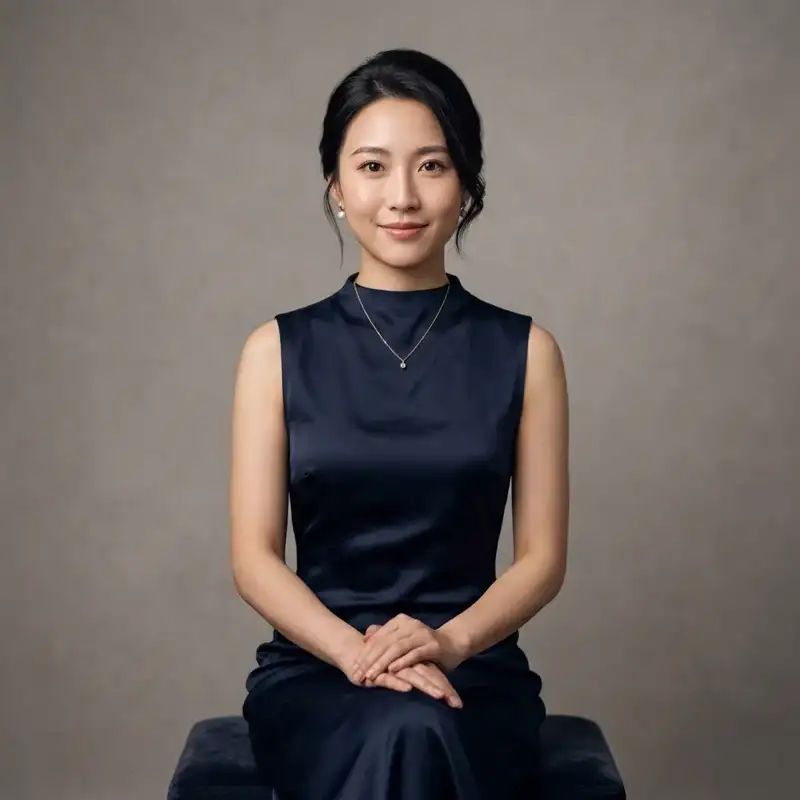
The PicCat AI Portrait Clarification Tool is optimized for facial details and can repair blurred avatars, portraits, ID photos and low-definition selfies to make facial features clearer.
Enhance slight blurring and noise on the face, retaining natural facial features and skin color
Enhance the face and hair in a portrait of a seated man in an office and compare the actual processing results.
Enhance the face and hair in a portrait of a woman in a shop and compare the actual processing results.
Use a portrait taken at an exhibition to examine reduced facial blur and the actual enhancement of the eyes, hair and skin tone.
Enhance the face and clothing of a musician in a Dalian park while retaining his pose and instrument, and compare local details before and after processing.
Reduce mild blur in a profile portrait of an older woman in Jiuzhaigou, checking the facial outline, headwear and clothing details.
Enhance visible facial features and clothing outlines in a travel portrait from Jiuzhaigou while retaining the setting and pose.
Use a crop from a Shanghai street photograph to reduce blur around the face and hair, comparing the person's features and skin tone.
Enhance the visible faces in a Wuzhen group photograph. Improvements may be limited for small or partially obscured faces.
The PicCat AI Portrait Clarification Tool is optimized for facial details and can repair blurred avatars, portraits, ID photos and low-definition selfies to make facial features clearer. Common uses include Portrait clarity, face restoration, blurred portrait restoration, photo high-definition restoration, etc.
PicCat only provides online multimedia editing technology services. Some lightweight functions are processed locally in the browser, and functions involving AI or high-precision conversion will call cloud processing. After the processing is completed, the temporary files will be destroyed according to the page declaration.
It is recommended to check the file format, size and clarity first, and if necessary, replace the file and try again. If it fails multiple times, you can submit a problem through the feedback portal in the upper right corner of the page.
Enhance a portrait and check facial and hair details before downloading.
Enhance slight blurring and noise on the face, retaining natural facial features and skin color
Enhance the face and hair in a portrait of a seated man in an office and compare the actual processing results.


Enhance the face and hair in a portrait of a woman in a shop and compare the actual processing results.


Use a portrait taken at an exhibition to examine reduced facial blur and the actual enhancement of the eyes, hair and skin tone.


Enhance the face and clothing of a musician in a Dalian park while retaining his pose and instrument, and compare local details before and after processing.


Reduce mild blur in a profile portrait of an older woman in Jiuzhaigou, checking the facial outline, headwear and clothing details.


Enhance visible facial features and clothing outlines in a travel portrait from Jiuzhaigou while retaining the setting and pose.


Use a crop from a Shanghai street photograph to reduce blur around the face and hair, comparing the person's features and skin tone.


Enhance the visible faces in a Wuzhen group photograph. Improvements may be limited for small or partially obscured faces.