PicCat Restoring your images and input…

Remove People

AI eliminates passers-byInstructions for use

PicCat's passerby elimination tool supports smearing and removing passers-by in the background of travel photos, street photos and group photos. AI automatically completes the background, which is suitable for cleaning before photo release.

Applicable scenarios

  • Remove passers-by who accidentally enter the camera in the background of travel photos, street photos, and group photos.
  • Suitable for cleaning backgrounds before wedding photos, shop visits photos, ID photo materials and social media cover releases.
  • When the occlusion relationship between passers-by and the subject is complex, passers-by can be eliminated first, and then AI dialogue can be used to modify the image and continue refinement.

Usage steps

  1. Upload photos containing passers-by or background distractions.
  2. Select the passerby elimination tool, smear the character area that needs to be removed, and try to retain the edges of the subject.
  3. Check whether the background completion is natural, and if necessary, narrow the smear range and repeat the process.

AI eliminates passers-byTreatment effect case

Elimination of tourist attractions

Remove a large number of idle tourists in the scenic spot screen and restore the grand panorama and ground texture of the Forbidden City Square

Elimination of passers-by on the Bund

Remove the random passers-by walking on the Bund in Shanghai, and perfectly restore the railings, floor tiles and city skyline background

West Lake Broken Bridge Elimination

Remove the large number of tourists on the broken bridges of West Lake and the tourist trails, and restore the tranquility and leisure of the classical Jiangnan gardens

Remove an edge pedestrian on a Chengdu shopping street

Remove the selected people while retaining the surrounding scene. This result was generated using this website’s AI Image Editor to demonstrate the corresponding removal task.

Remove distant visitors on a West Lake path

Remove the selected people while retaining the surrounding scene. This result was generated using this website’s AI Image Editor to demonstrate the corresponding removal task.

Remove a foreground pedestrian on a Guangzhou shopping street

Remove the selected people while retaining the surrounding scene. This result was generated using this website’s AI Image Editor to demonstrate the corresponding removal task.

Remove a midground visitor on Shangxiajiu Street

Remove the selected people while retaining the surrounding scene. This result was generated using this website’s AI Image Editor to demonstrate the corresponding removal task.

Remove a pedestrian with an umbrella in Xiamen

Remove the selected people while retaining the surrounding scene. This result was generated using this website’s AI Image Editor to demonstrate the corresponding removal task.

Remove a distant rider from a Xiamen street

Remove the selected people while retaining the surrounding scene. This result was generated using this website’s AI Image Editor to demonstrate the corresponding removal task.

Remove a riverside pedestrian from a Jin River night photo

Remove the selected people while retaining the surrounding scene. This result was generated using this website’s AI Image Editor to demonstrate the corresponding removal task.

Remove a bridge visitor from a park boating photo

Remove the selected people while retaining the surrounding scene. This result was generated using this website’s AI Image Editor to demonstrate the corresponding removal task.

Frequently Asked Questions

What is the difference between eliminating passers-by and eliminating debris?

The elimination of passers-by is more suitable for processing human body outlines and street scene backgrounds, and the elimination of debris is more suitable for cleaning non-person interference such as desktop items, trash cans, and cables.

Can the main body be removed if passers-by block it?

If passers-by completely block the key parts of the subject, ordinary elimination tools may not be able to restore the blocked content. It is recommended to use AI dialogue to modify the picture to describe the picture you want to complete.

What suggestions are there for handling travel photos?

Give priority to the people who need to be deleted, and do not erase large areas of sky, buildings and main bodies together. Multiple treatments often give a more natural look than a large application in one go.

Real picture modification case

Remove People

Select unwanted people, fill in the background, and compare before downloading.

Case 01

Elimination of tourist attractions

Remove a large number of idle tourists in the scenic spot screen and restore the grand panorama and ground texture of the Forbidden City Square
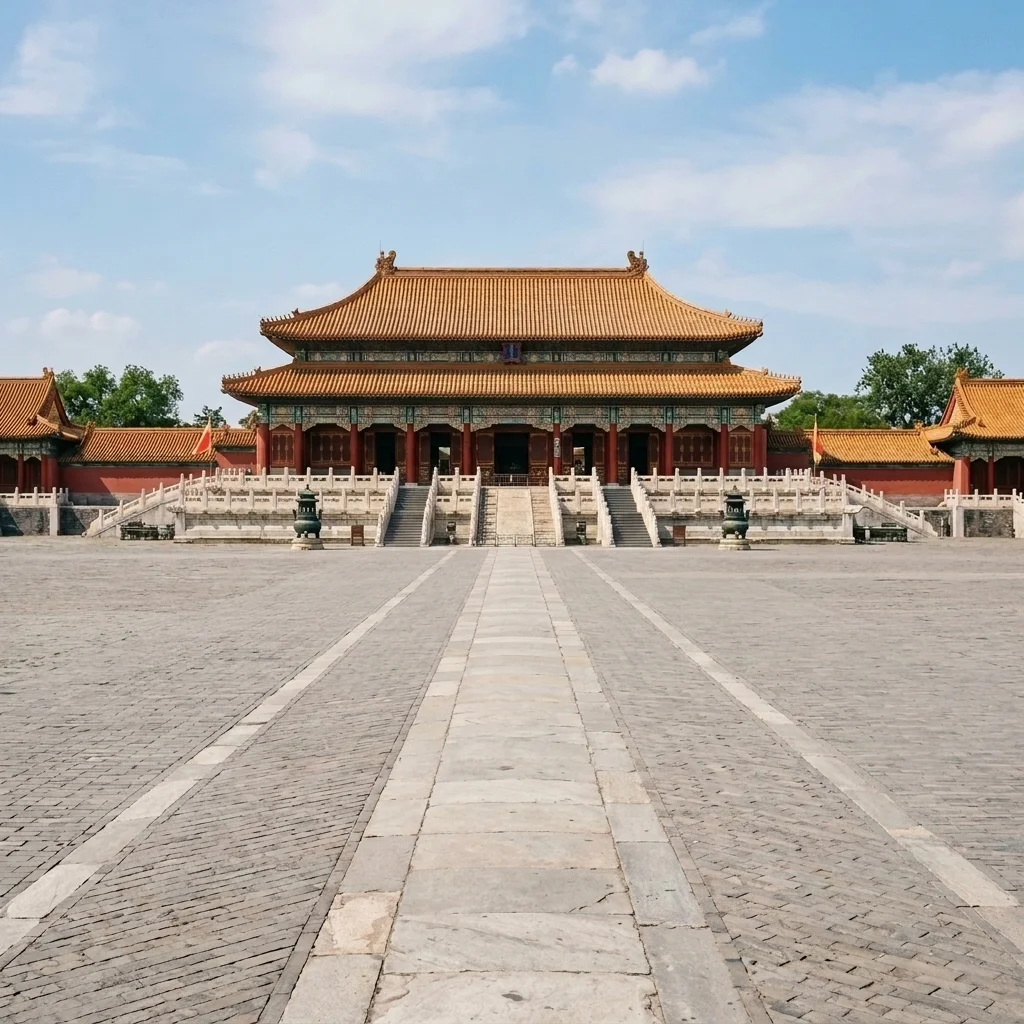
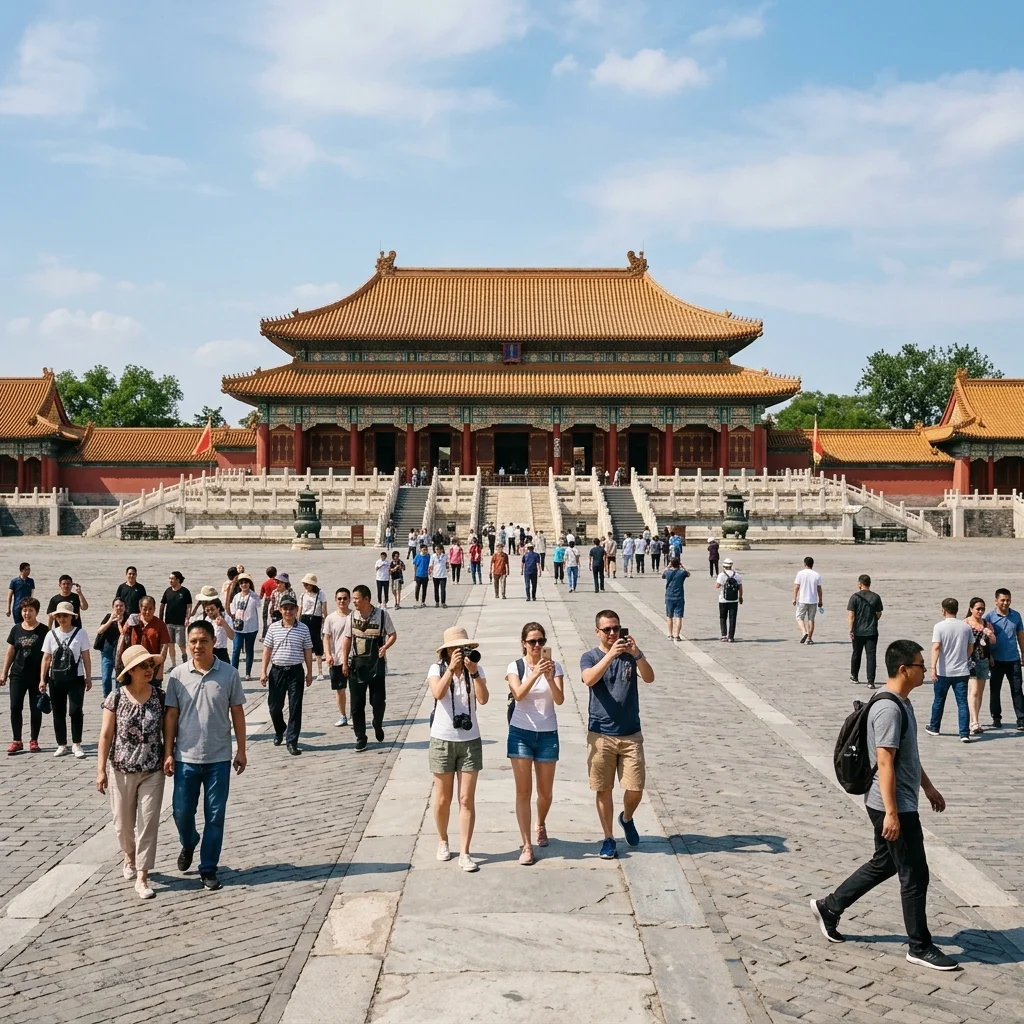
There are tourists in the background→After going to passers-by
  • Choose a brush or rectangle and cover the entire area to remove.
  • Compare before and after, checking background textures and subject details before downloading.
Examples show the processing effect. Results depend on source image clarity and settings.
AI Elimination of Passers-by Case: After Perfect Elimination of Background Tourists in the Forbidden City Square
AI elimination of passers-by case: Forbidden City Square background tourists before elimination
Case pictures are loading...
Case 02

Elimination of passers-by on the Bund

Remove the random passers-by walking on the Bund in Shanghai, and perfectly restore the railings, floor tiles and city skyline background

There are idle passers-by→After going to passers-by
  • Choose a brush or rectangle and cover the entire area to remove.
  • Compare before and after, checking background textures and subject details before downloading.
Examples show the processing effect. Results depend on source image clarity and settings.
AI elimination of passers-by case: After pedestrians walking on the Bund in Shanghai were eliminated and the railing ground was restored
AI elimination of passers-by case: Before elimination of passers-by walking on the Bund in Shanghai
Case pictures are loading...
Case 03

West Lake Broken Bridge Elimination

Remove the large number of tourists on the broken bridges of West Lake and the tourist trails, and restore the tranquility and leisure of the classical Jiangnan gardens

There are tourists on the bridge→After going to passers-by
  • Choose a brush or rectangle and cover the entire area to remove.
  • Compare before and after, checking background textures and subject details before downloading.
Examples show the processing effect. Results depend on source image clarity and settings.
AI Elimination of Passers-by Case: After Perfect Elimination of Visitors to the Broken Bridge in West Lake
AI elimination of passers-by case: West Lake Broken Bridge tourists before elimination
Case pictures are loading...
Case 04

Remove an edge pedestrian on a Chengdu shopping street

Remove the selected people while retaining the surrounding scene. This result was generated using this website’s AI Image Editor to demonstrate the corresponding removal task.

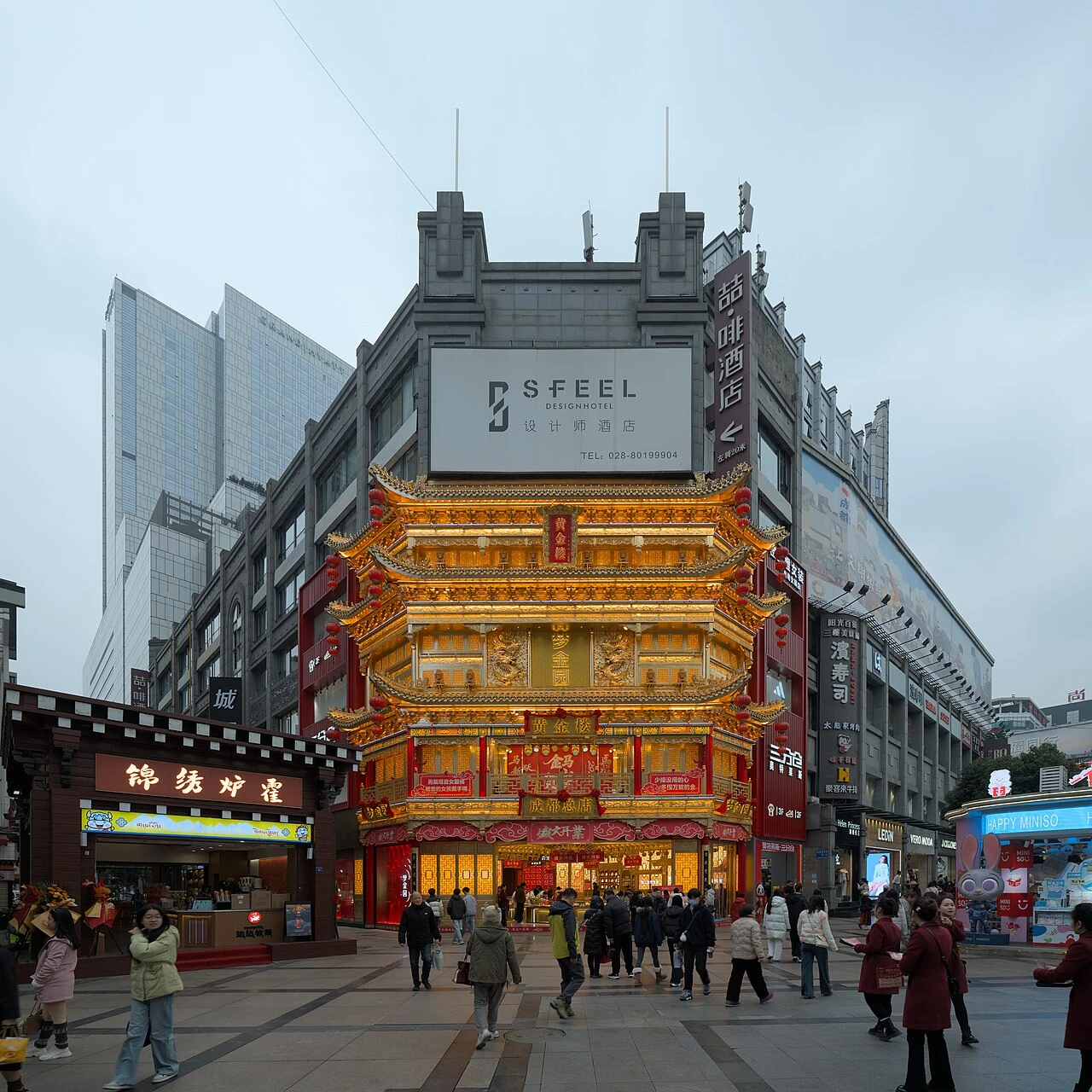
Original photo→Website AI editing result
  • Choose a brush or rectangle and cover the entire area to remove.
  • Compare before and after, checking background textures and subject details before downloading.
Examples show the processing effect. Results depend on source image clarity and settings.Original source · Daniel Lu (User:dllu) · CC BY-SA 4.0Original resized and compressed. The processed image was generated using this website’s AI Image Editor. Derived images retain the original license.
Remove an edge pedestrian on a Chengdu shopping street — generated using this website’s AI Image Editor
Remove an edge pedestrian on a Chengdu shopping street — before example
Case pictures are loading...
Case 05

Remove distant visitors on a West Lake path

Remove the selected people while retaining the surrounding scene. This result was generated using this website’s AI Image Editor to demonstrate the corresponding removal task.

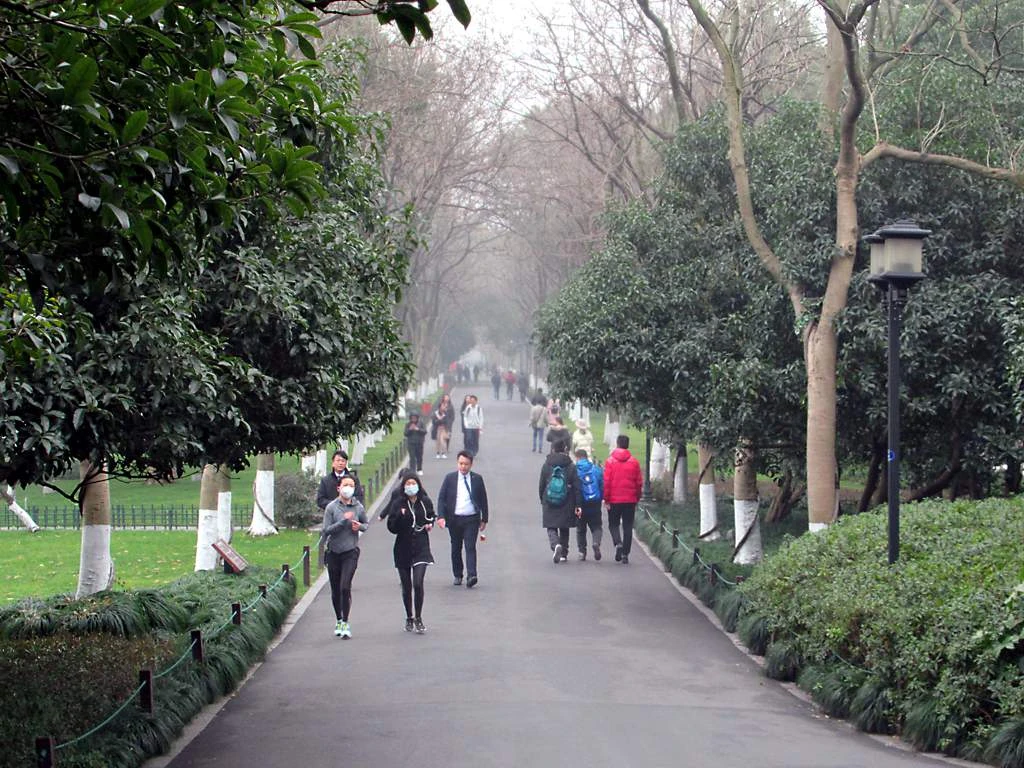
Original photo→Website AI editing result
  • Choose a brush or rectangle and cover the entire area to remove.
  • Compare before and after, checking background textures and subject details before downloading.
Examples show the processing effect. Results depend on source image clarity and settings.Original source · David Stanley from Nanaimo, Canada · CC BY 2.0Original resized and compressed. The processed image was generated using this website’s AI Image Editor. Derived images retain the original license.
Remove distant visitors on a West Lake path — generated using this website’s AI Image Editor
Remove distant visitors on a West Lake path — before example
Case pictures are loading...
Case 06

Remove a foreground pedestrian on a Guangzhou shopping street

Remove the selected people while retaining the surrounding scene. This result was generated using this website’s AI Image Editor to demonstrate the corresponding removal task.

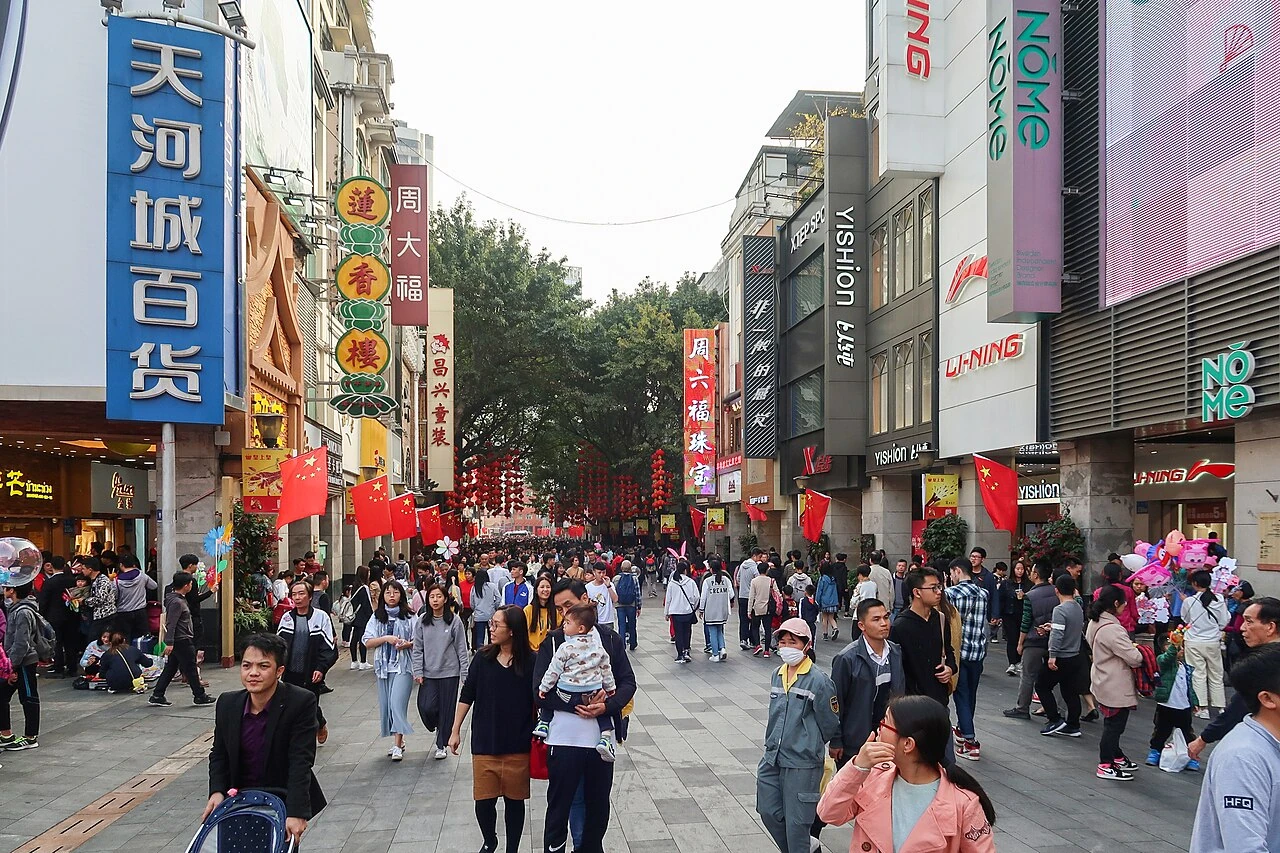
Original photo→Website AI editing result
  • Choose a brush or rectangle and cover the entire area to remove.
  • Compare before and after, checking background textures and subject details before downloading.
Examples show the processing effect. Results depend on source image clarity and settings.Original source · Wpcpey · CC BY-SA 4.0Original resized and compressed. The processed image was generated using this website’s AI Image Editor. Derived images retain the original license.
Remove a foreground pedestrian on a Guangzhou shopping street — generated using this website’s AI Image Editor
Remove a foreground pedestrian on a Guangzhou shopping street — before example
Case pictures are loading...
Case 07

Remove a midground visitor on Shangxiajiu Street

Remove the selected people while retaining the surrounding scene. This result was generated using this website’s AI Image Editor to demonstrate the corresponding removal task.

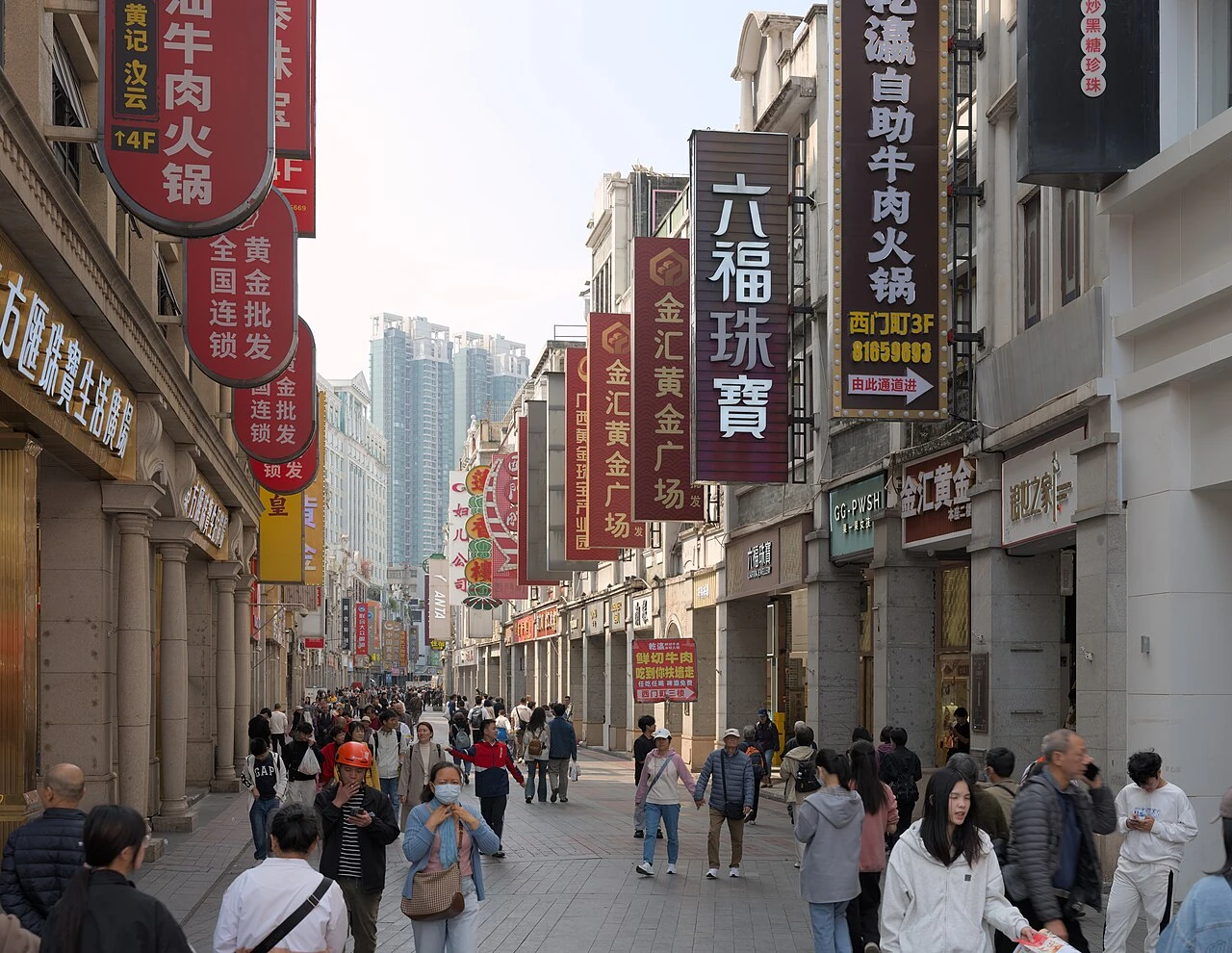
Original photo→Website AI editing result
  • Choose a brush or rectangle and cover the entire area to remove.
  • Compare before and after, checking background textures and subject details before downloading.
Examples show the processing effect. Results depend on source image clarity and settings.Original source · Daniel Lu (User:dllu) · CC BY-SA 4.0Original resized and compressed. The processed image was generated using this website’s AI Image Editor. Derived images retain the original license.
Remove a midground visitor on Shangxiajiu Street — generated using this website’s AI Image Editor
Remove a midground visitor on Shangxiajiu Street — before example
Case pictures are loading...
Case 08

Remove a pedestrian with an umbrella in Xiamen

Remove the selected people while retaining the surrounding scene. This result was generated using this website’s AI Image Editor to demonstrate the corresponding removal task.

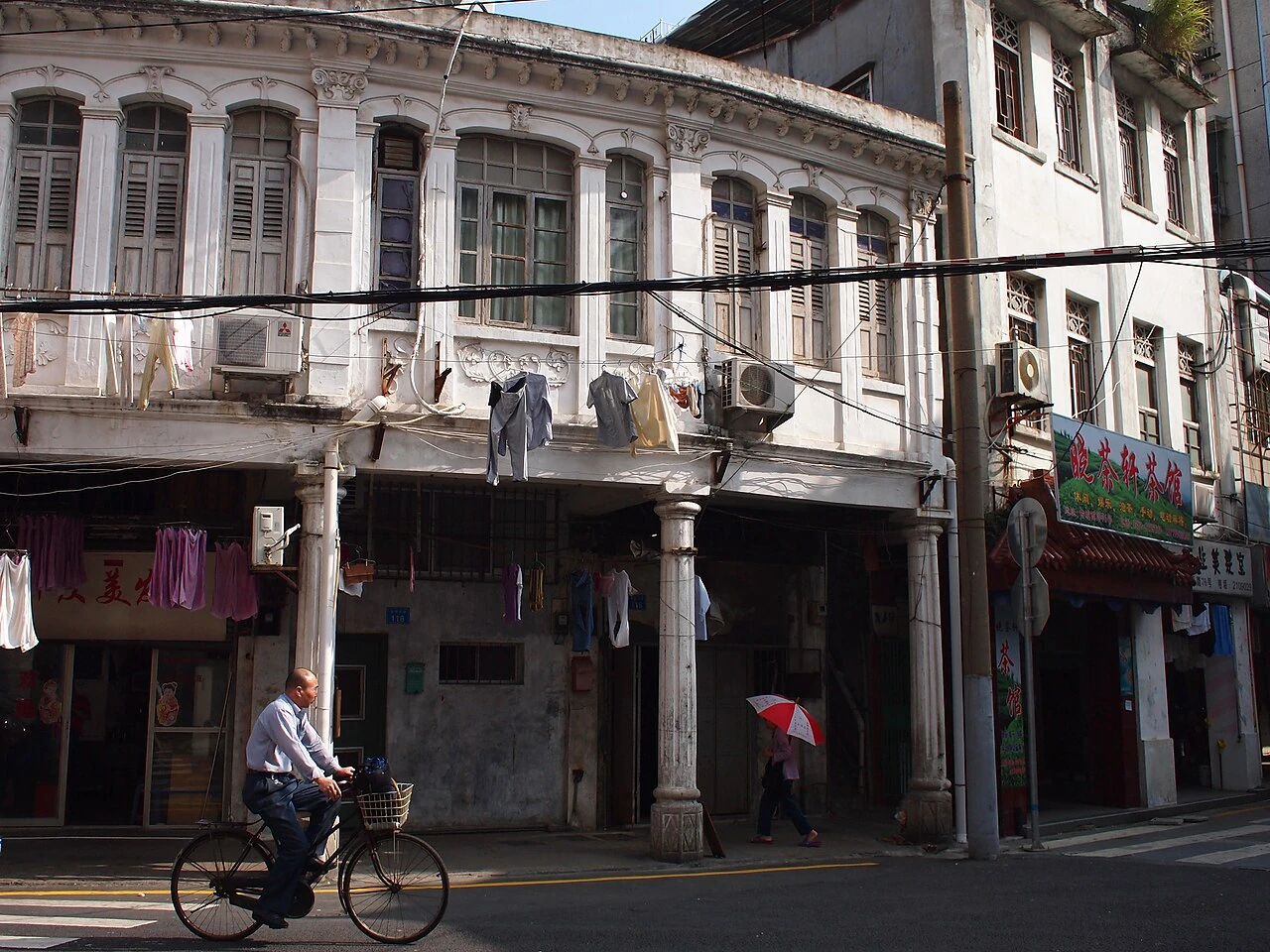
Original photo→Website AI editing result
  • Choose a brush or rectangle and cover the entire area to remove.
  • Compare before and after, checking background textures and subject details before downloading.
Examples show the processing effect. Results depend on source image clarity and settings.Original source · Mstyslav Chernov · CC BY-SA 3.0Original resized and compressed. The processed image was generated using this website’s AI Image Editor. Derived images retain the original license.
Remove a pedestrian with an umbrella in Xiamen — generated using this website’s AI Image Editor
Remove a pedestrian with an umbrella in Xiamen — before example
Case pictures are loading...
Case 09

Remove a distant rider from a Xiamen street

Remove the selected people while retaining the surrounding scene. This result was generated using this website’s AI Image Editor to demonstrate the corresponding removal task.

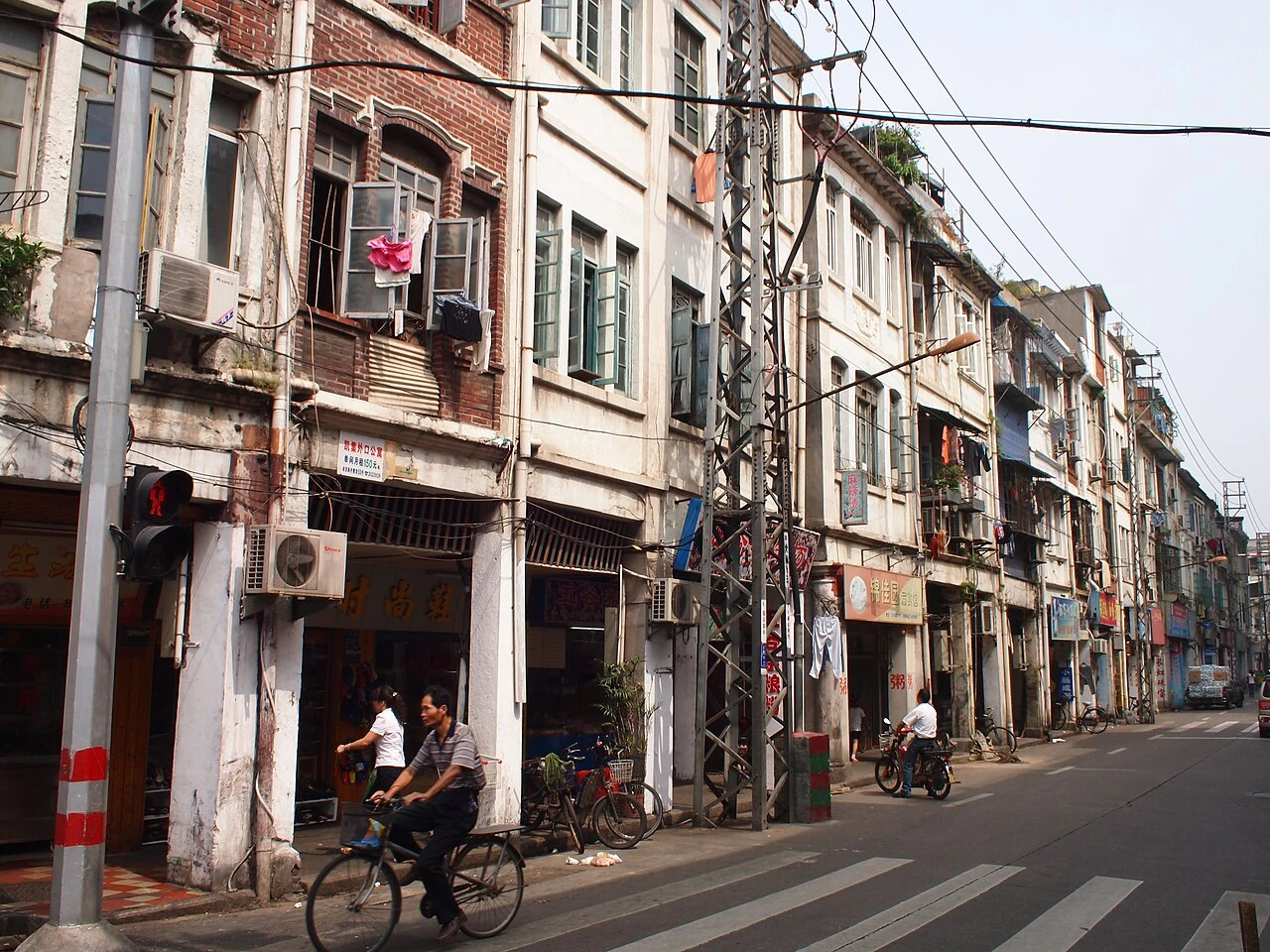
Original photo→Website AI editing result
  • Choose a brush or rectangle and cover the entire area to remove.
  • Compare before and after, checking background textures and subject details before downloading.
Examples show the processing effect. Results depend on source image clarity and settings.Original source · Mstyslav Chernov · CC BY-SA 3.0Original resized and compressed. The processed image was generated using this website’s AI Image Editor. Derived images retain the original license.
Remove a distant rider from a Xiamen street — generated using this website’s AI Image Editor
Remove a distant rider from a Xiamen street — before example
Case pictures are loading...
Case 10

Remove a riverside pedestrian from a Jin River night photo

Remove the selected people while retaining the surrounding scene. This result was generated using this website’s AI Image Editor to demonstrate the corresponding removal task.

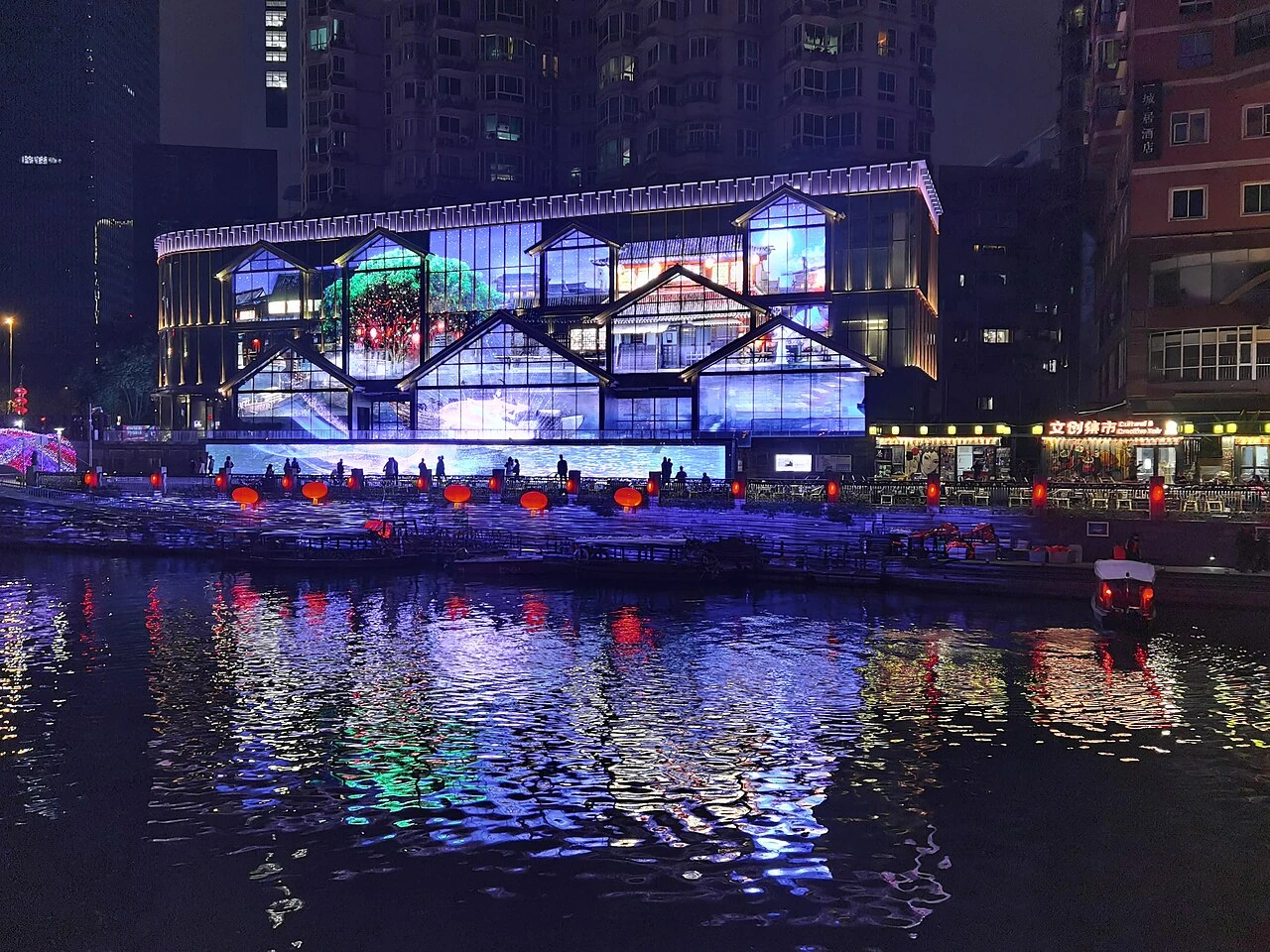
Original photo→Website AI editing result
  • Choose a brush or rectangle and cover the entire area to remove.
  • Compare before and after, checking background textures and subject details before downloading.
Examples show the processing effect. Results depend on source image clarity and settings.Original source · Zhengyizhilu · CC BY-SA 4.0Original resized and compressed. The processed image was generated using this website’s AI Image Editor. Derived images retain the original license.
Remove a riverside pedestrian from a Jin River night photo — generated using this website’s AI Image Editor
Remove a riverside pedestrian from a Jin River night photo — before example
Case pictures are loading...
Case 11

Remove a bridge visitor from a park boating photo

Remove the selected people while retaining the surrounding scene. This result was generated using this website’s AI Image Editor to demonstrate the corresponding removal task.


Original photo→Website AI editing result
  • Choose a brush or rectangle and cover the entire area to remove.
  • Compare before and after, checking background textures and subject details before downloading.
Examples show the processing effect. Results depend on source image clarity and settings.Original source · David Stanley · CC BY 2.0Original resized and compressed. The processed image was generated using this website’s AI Image Editor. Derived images retain the original license.
Remove a bridge visitor from a park boating photo — generated using this website’s AI Image Editor
Remove a bridge visitor from a park boating photo — before example
Case pictures are loading...
View user guide