PicCat Restoring your images and input…

AI old photo restoration

AI old photo restorationInstructions for use

PicCat AI old photo repair tool can improve the blurring, yellowing, fading, scratches and slight damage problems of old photos online, and is suitable for family photo albums, old ID photos, black and white photos and precious image renovation.

Applicable scenarios

  • Repair blur, yellowing, fading and slight scratches in family photo albums, old ID photos, graduation photos, group photos and scanned old photos.
  • It is suitable for organizing precious old photos into clearer electronic versions for saving, sharing, printing or continuing to do black and white coloring.
  • If the photo is seriously damaged or missing details of key figures, it is recommended to try to repair the old photo first, and then combine it with the general picture to become clearer or partially repair to continue optimizing.

Usage steps

  1. To upload old photos that need to be refurbished, it is recommended to use scanned copies or retaken photos with even lighting and no obstruction.
  2. Click “Start AI restoration” and wait for AI to improve blur, yellowing, fading, noise and minor damage.
  3. Compare the face, clothing, background and edge details before and after repair, download the results after confirming the nature, and continue black and white coloring or lossless amplification if necessary.

AI old photo restorationTreatment effect case

Faded old family photos

Improve the fading, blurring and character details of family photos, and retain the original photo composition

Damaged family portrait

Repair scratches, creases and damaged corners of old photos while enhancing facial clarity of multiple people

Old photos of scratched portraits

Remove cracks and fading marks on alley portrait photos, and restore clothing and background levels

A street crowd in Jilin in the 1970s

Add color to a black-and-white street photograph and improve the definition of faces and winter clothing.

Everyday life in China in 1982

Improve blur and color casts in an old film photograph, bringing out people, clothing and bicycles.

Tour guides in China in 1978

Adjust color and contrast in a faded group portrait, enhancing people, clothing and architectural details.

Students in Beijing in 1978

Improve blur and color casts in a group portrait, bringing out white shirts, red scarves and facial detail.

A Shanghai street in 1982

Improve dullness and fading in a street photograph, bringing out bicycles, pedestrians and roadside buildings.

Yellow Dragon Cave in Hangzhou in 1978

Improve color casts and shadows in an old photograph, bringing out the eaves, trees and visitors.

Frequently Asked Questions

What problems can be solved by restoring old photos?

Suitable for improving common blur, yellowing, fading, slight scratches, scan noise and compression damage in old photos. Complete restoration cannot be guaranteed for severely missing faces, occlusions or large areas of damage.

Can old photos that have been reproduced be restored?

Yes. It is recommended to keep the photos flat and evenly lit when shooting, and avoid reflections and shadows; if conditions permit, scanned copies are usually more stable than cell phone reproductions.

Can old black and white photos be colored directly?

You can first use old photos to restore and improve clarity, and then use black and white photo coloring tools to add color, which is usually more natural than direct coloring.

Real picture modification case

AI old photo restoration

Upload an old photo, restore it with AI, then compare and download.

Case 01

Faded old family photos

Improve the fading, blurring and character details of family photos, and retain the original photo composition
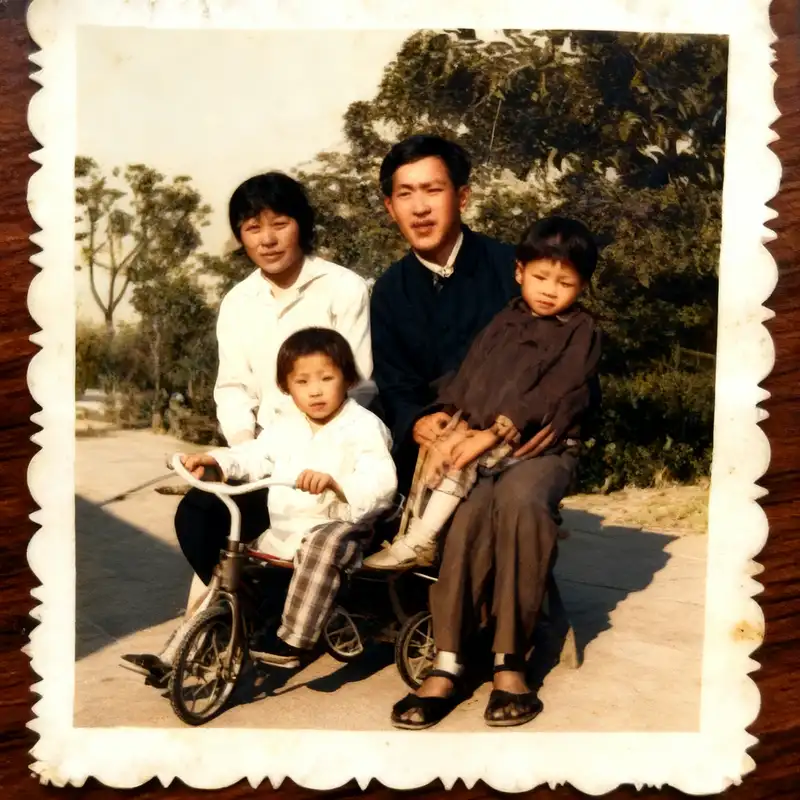
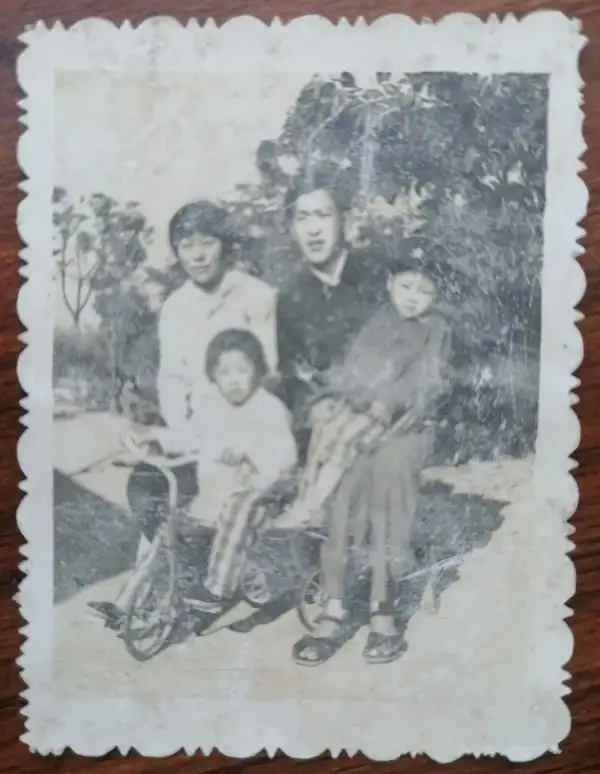
Before repair→After repair
  • Upload an old photo and use AI restoration to improve its quality.
  • Compare people, scratches and the background, then keep the result you prefer.
Examples show the processing effect. Results depend on source image clarity and settings.
AI old photo restoration case: a family of four taking a photo with a child on a bicycle after clear coloring and restoration
AI old photo restoration case: Faded and blurred family of four taking photos with children on bicycles before restoration
Case pictures are loading...
Case 02

Damaged family portrait

Repair scratches, creases and damaged corners of old photos while enhancing facial clarity of multiple people

Damaged old photos→After repair
  • Upload an old photo and use AI restoration to improve its quality.
  • Compare people, scratches and the background, then keep the result you prefer.
Examples show the processing effect. Results depend on source image clarity and settings.
AI old photo restoration case: indoor family portrait of seven people after scratches and damaged corners were repaired
AI old photo restoration case: a family portrait of seven people with scratches, creases and damaged corners before restoration
Case pictures are loading...
Case 03

Old photos of scratched portraits

Remove cracks and fading marks on alley portrait photos, and restore clothing and background levels

Scratched old photos→After repair
  • Upload an old photo and use AI restoration to improve its quality.
  • Compare people, scratches and the background, then keep the result you prefer.
Examples show the processing effect. Results depend on source image clarity and settings.
AI old photo restoration case: after crack removal and color restoration of portrait of young man on bicycle in Hutong
AI old photo restoration case: portrait of a young man on an alley bicycle with cracks and faded marks before restoration
Case pictures are loading...
Case 04

A street crowd in Jilin in the 1970s

Add color to a black-and-white street photograph and improve the definition of faces and winter clothing.
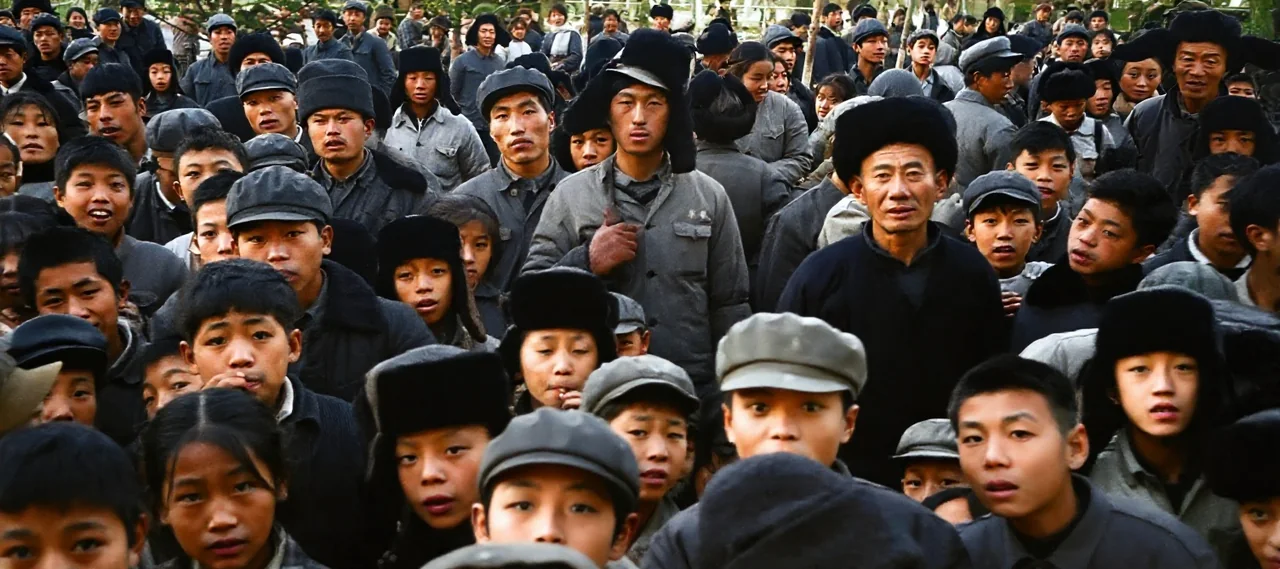
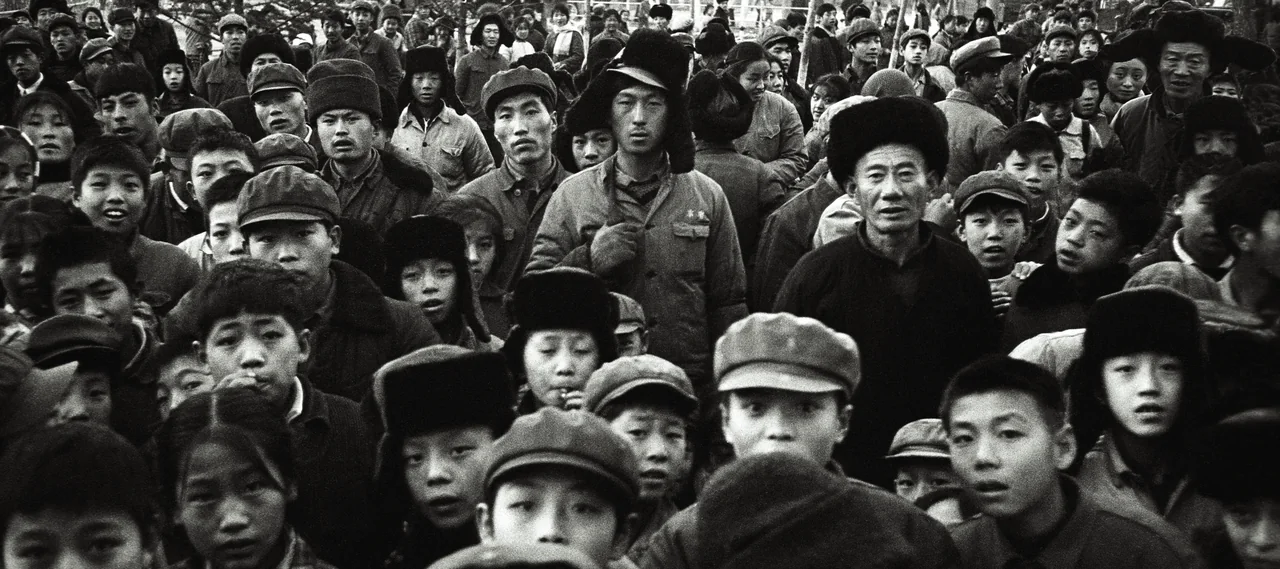
Old photos→After repair
  • Upload an old photo and use AI restoration to improve its quality.
  • Compare people, scratches and the background, then keep the result you prefer.
Examples show the processing effect. Results depend on source image clarity and settings.Original source · Michael E. Arth · CC BY-SA 4.0AI restoration, resizing and compression applied. Restored images retain the original license.
A street crowd in Jilin in the 1970s after AI restoration
A street crowd in Jilin in the 1970s before restoration
Case pictures are loading...
Case 05

Everyday life in China in 1982

Improve blur and color casts in an old film photograph, bringing out people, clothing and bicycles.
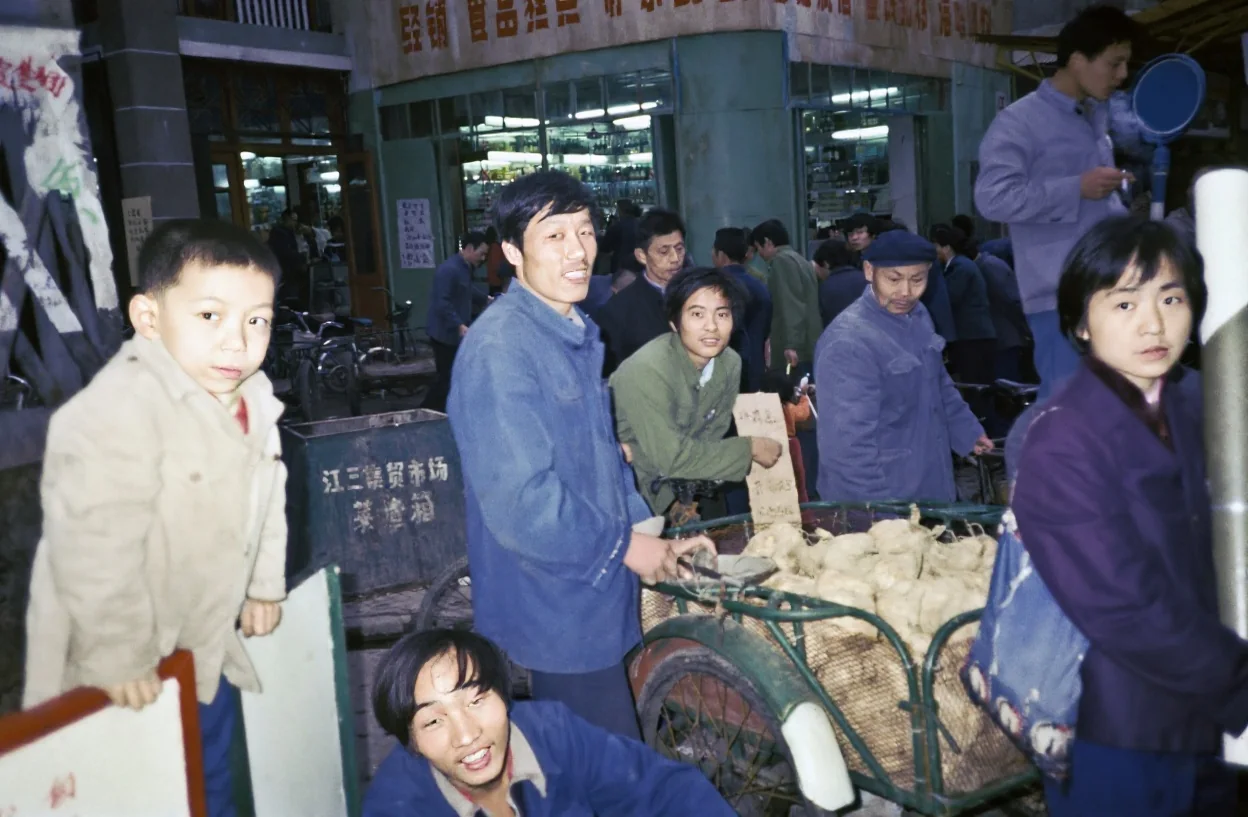
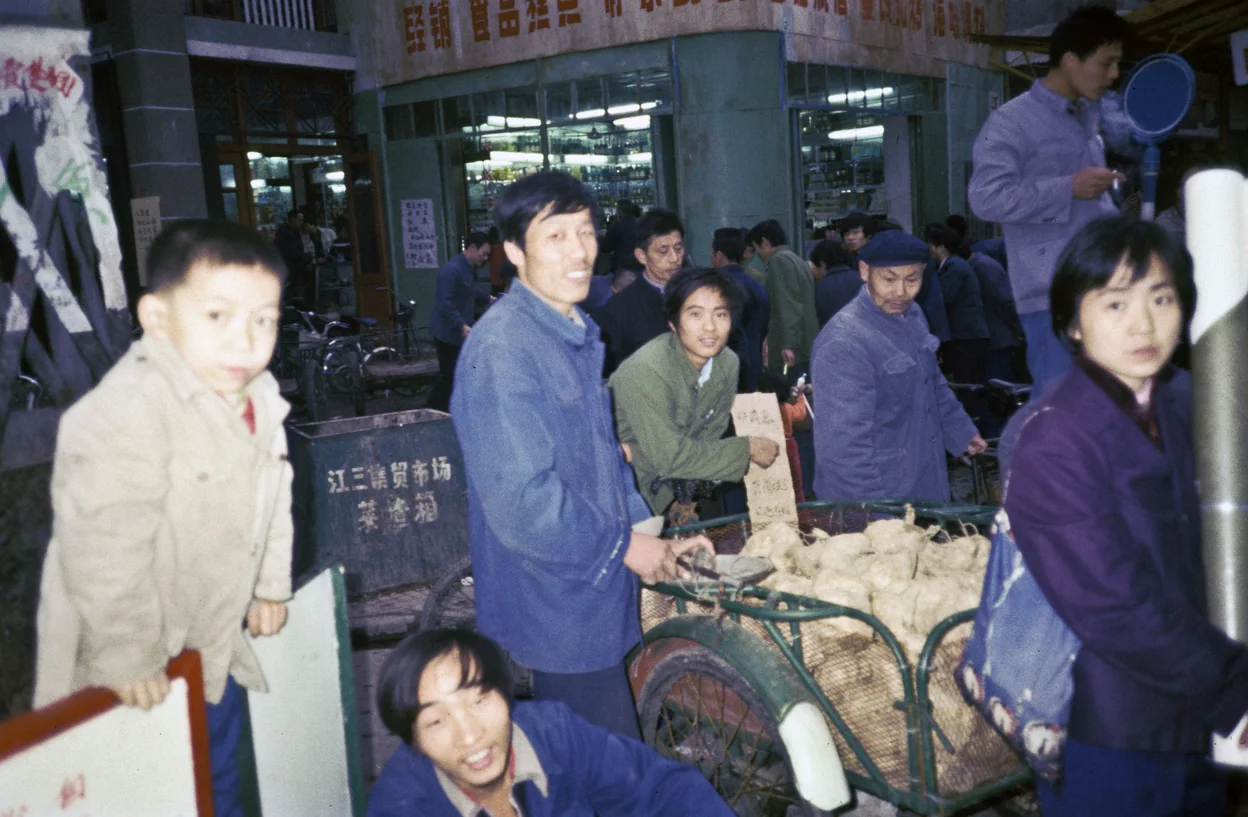
Old photos→After repair
  • Upload an old photo and use AI restoration to improve its quality.
  • Compare people, scratches and the background, then keep the result you prefer.
Examples show the processing effect. Results depend on source image clarity and settings.Original source · H. Grobe · CC BY-SA 3.0AI restoration, resizing and compression applied. Restored images retain the original license.
Everyday life in China in 1982 after AI restoration
Everyday life in China in 1982 before restoration
Case pictures are loading...
Case 06

Tour guides in China in 1978

Adjust color and contrast in a faded group portrait, enhancing people, clothing and architectural details.
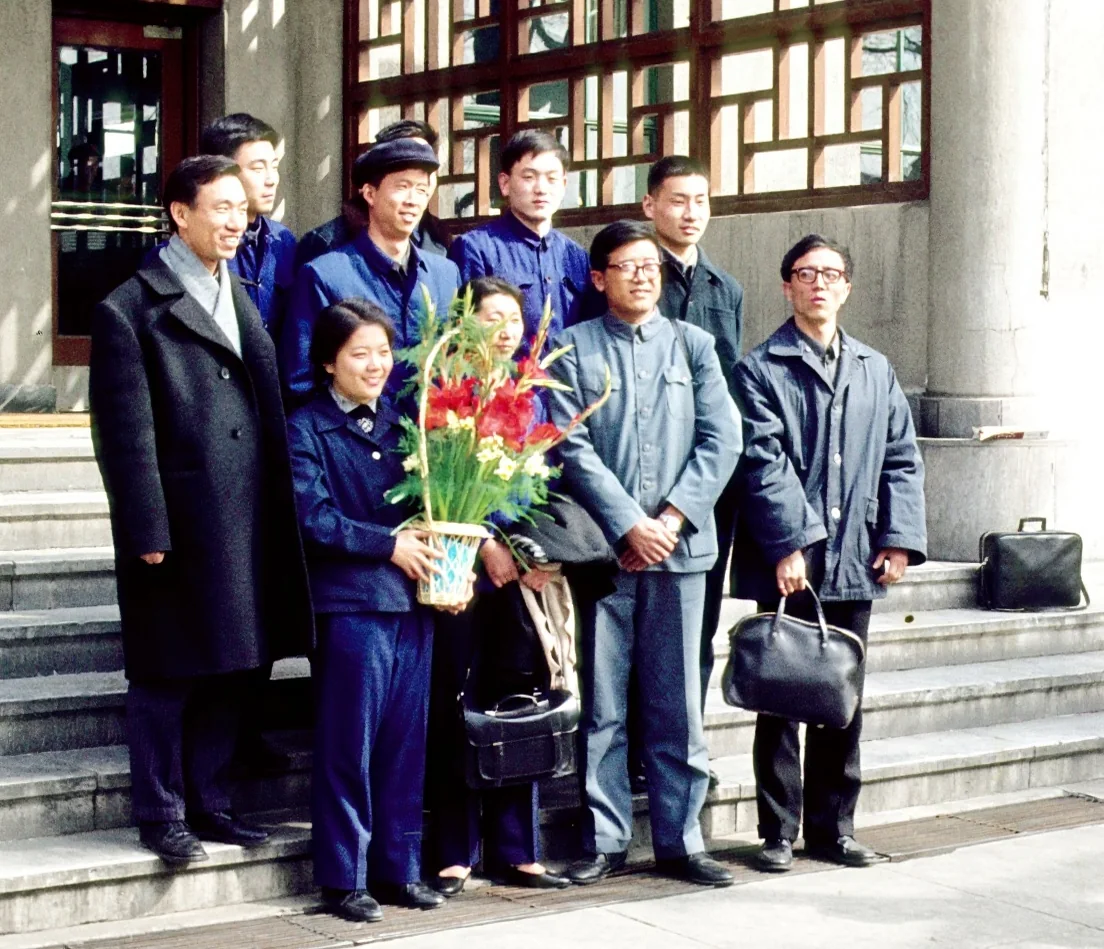
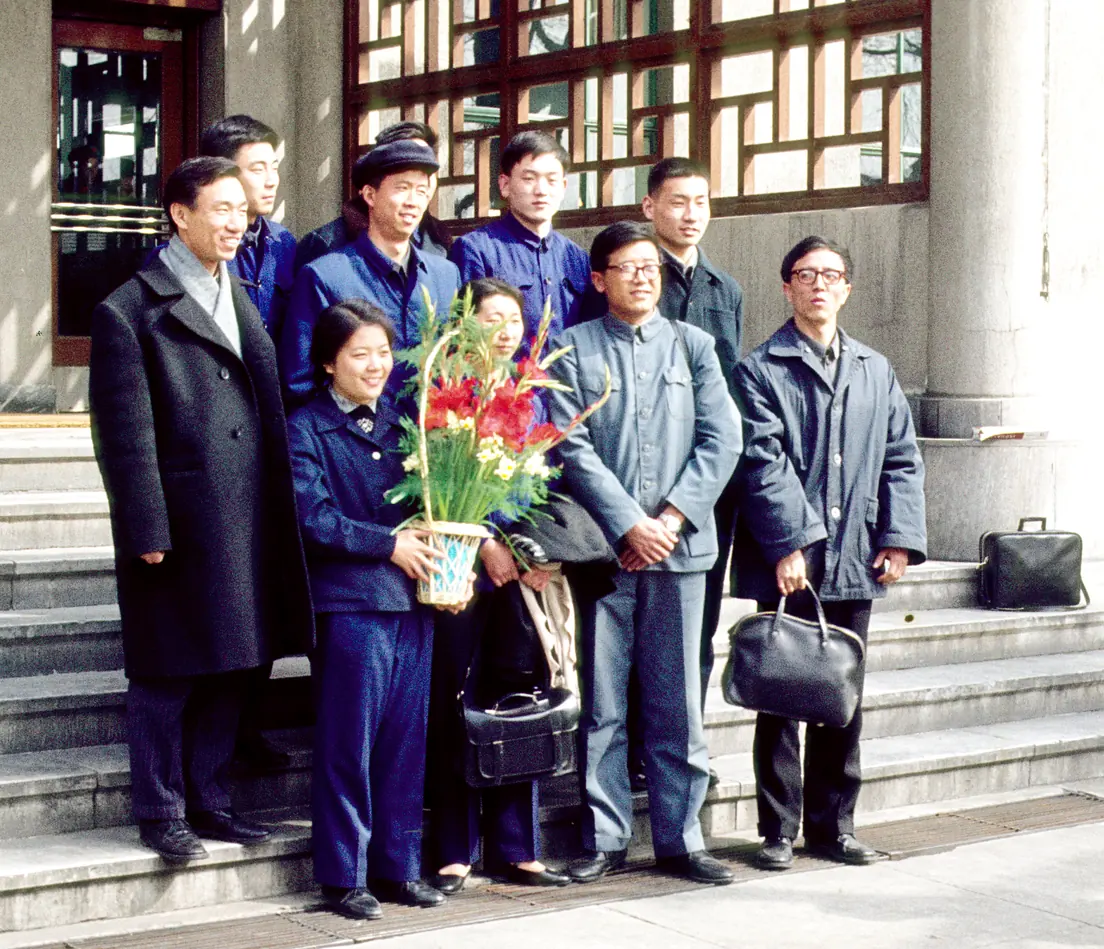
Old photos→After repair
  • Upload an old photo and use AI restoration to improve its quality.
  • Compare people, scratches and the background, then keep the result you prefer.
Examples show the processing effect. Results depend on source image clarity and settings.Original source · LBM1948 · CC BY-SA 4.0AI restoration, resizing and compression applied. Restored images retain the original license.
Tour guides in China in 1978 after AI restoration
Tour guides in China in 1978 before restoration
Case pictures are loading...
Case 07

Students in Beijing in 1978

Improve blur and color casts in a group portrait, bringing out white shirts, red scarves and facial detail.
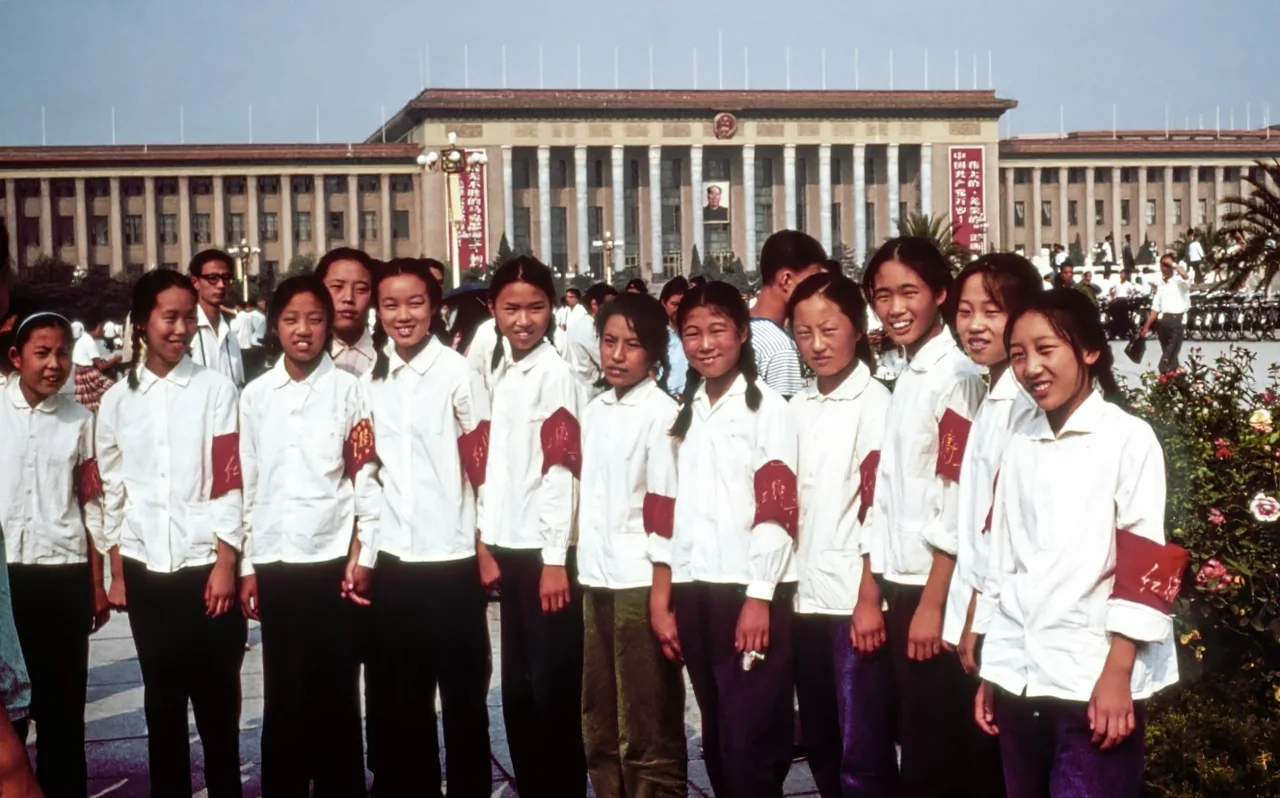
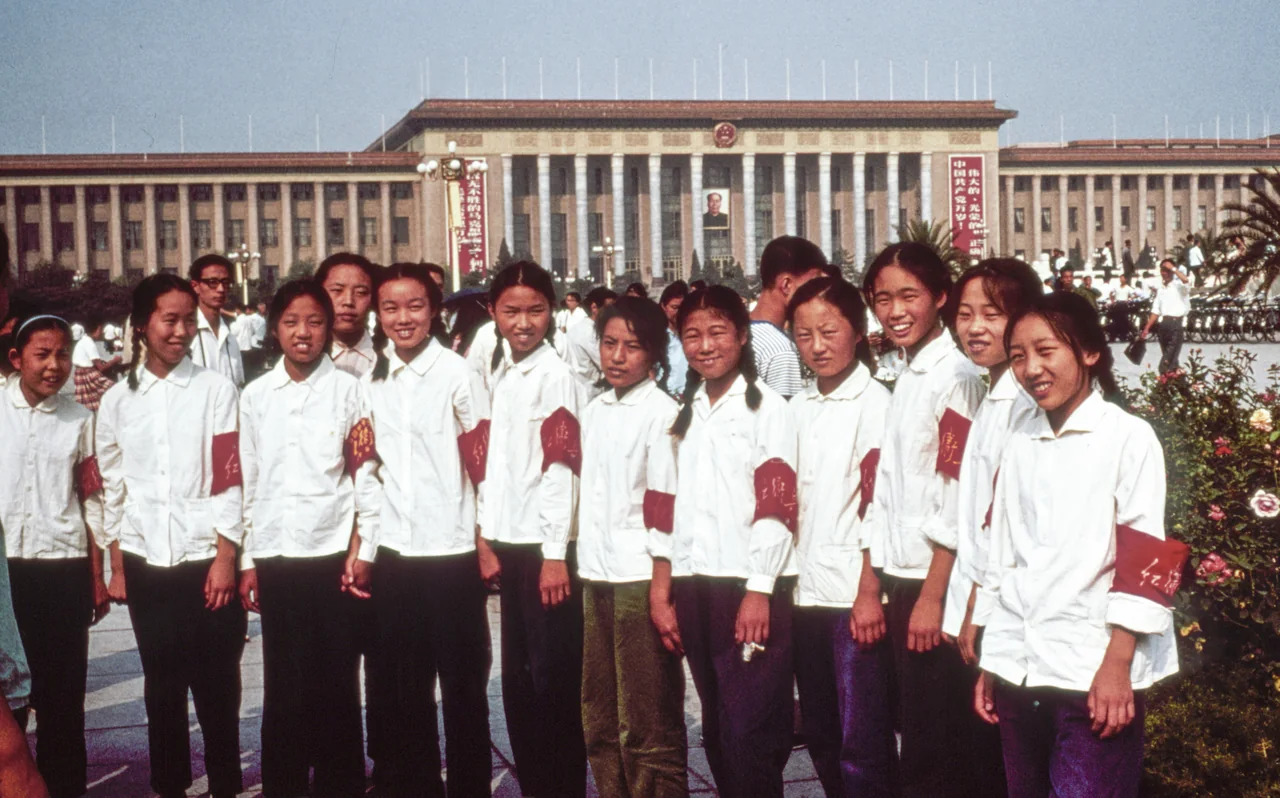
Old photos→After repair
  • Upload an old photo and use AI restoration to improve its quality.
  • Compare people, scratches and the background, then keep the result you prefer.
Examples show the processing effect. Results depend on source image clarity and settings.Original source · Paul Burns · CC BY-SA 4.0AI restoration, resizing and compression applied. Restored images retain the original license.
Students in Beijing in 1978 after AI restoration
Students in Beijing in 1978 before restoration
Case pictures are loading...
Case 08

A Shanghai street in 1982

Improve dullness and fading in a street photograph, bringing out bicycles, pedestrians and roadside buildings.
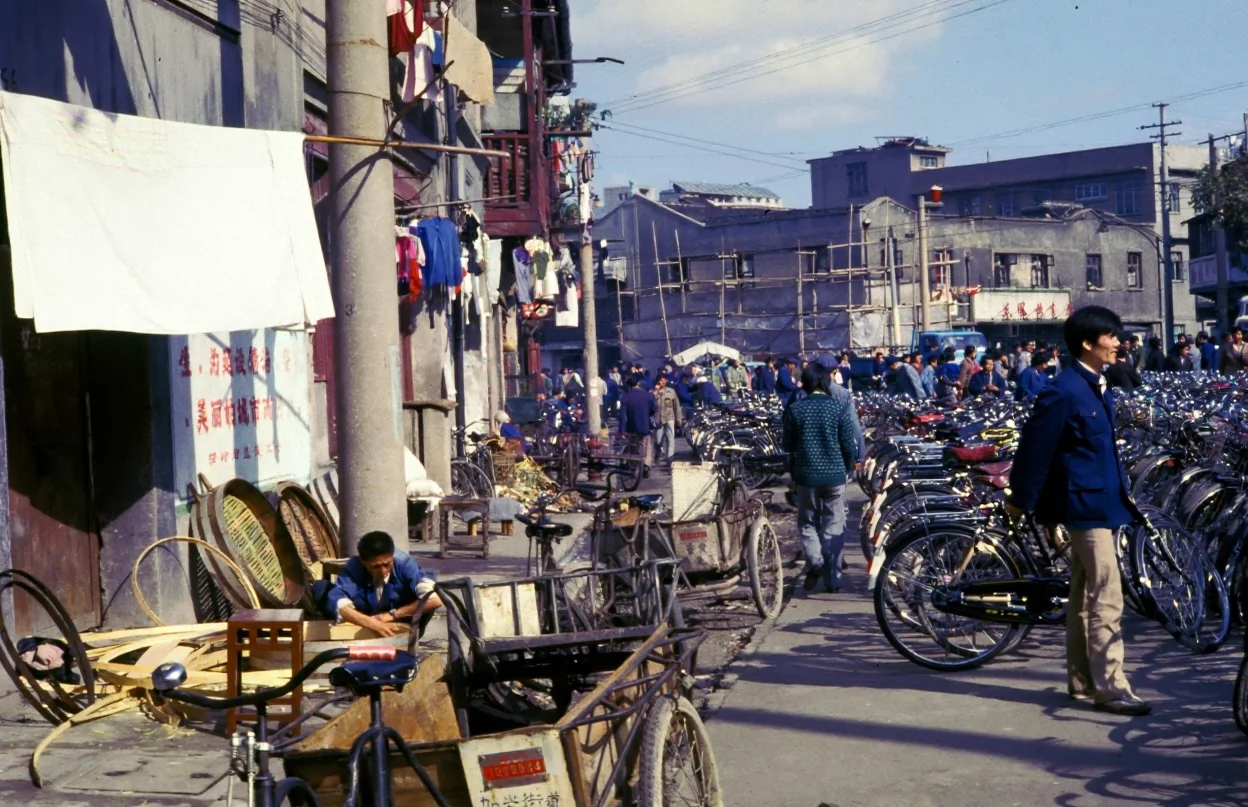
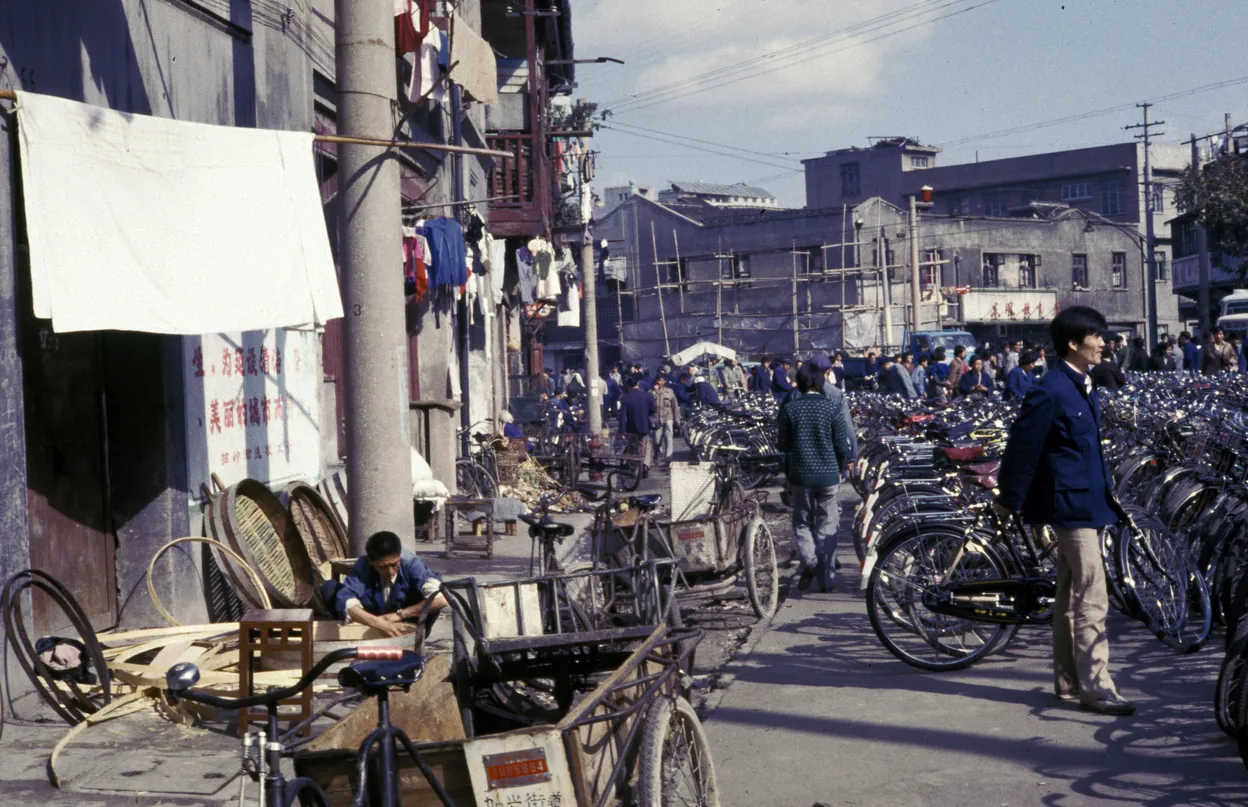
Old photos→After repair
  • Upload an old photo and use AI restoration to improve its quality.
  • Compare people, scratches and the background, then keep the result you prefer.
Examples show the processing effect. Results depend on source image clarity and settings.Original source · H. Grobe · CC BY-SA 3.0AI restoration, resizing and compression applied. Restored images retain the original license.
A Shanghai street in 1982 after AI restoration
A Shanghai street in 1982 before restoration
Case pictures are loading...
Case 09

Yellow Dragon Cave in Hangzhou in 1978

Improve color casts and shadows in an old photograph, bringing out the eaves, trees and visitors.
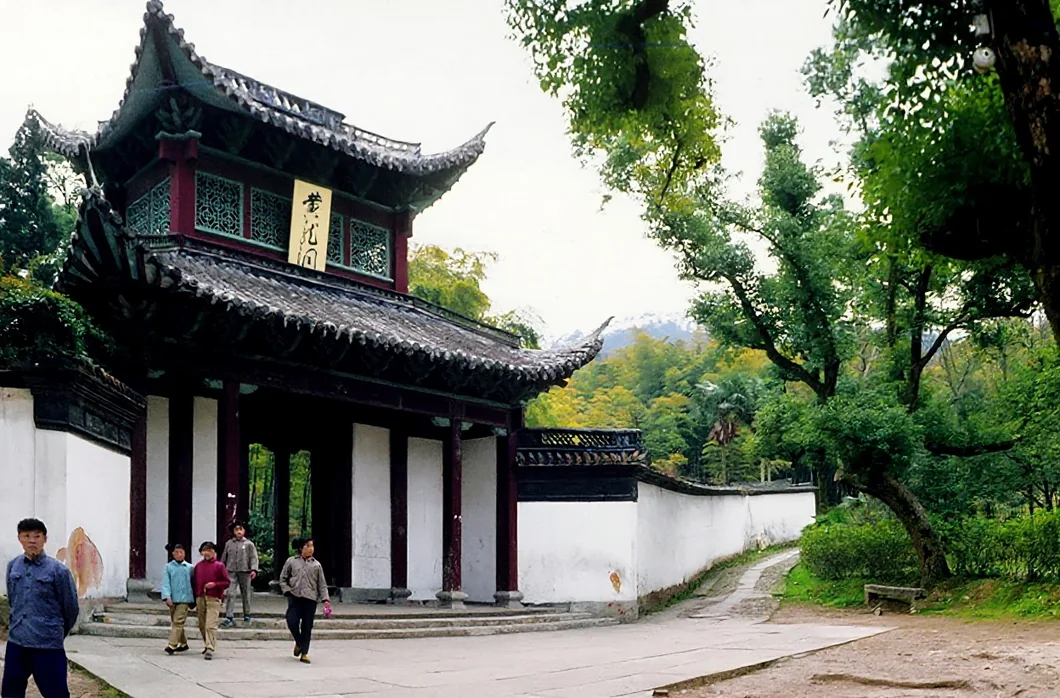
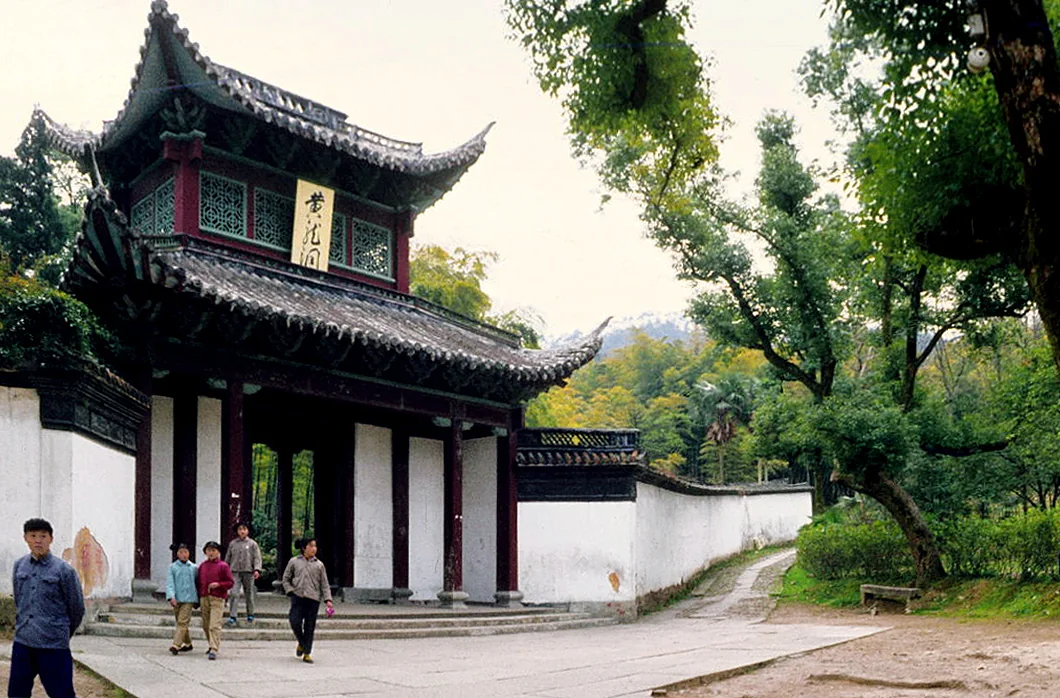
Old photos→After repair
  • Upload an old photo and use AI restoration to improve its quality.
  • Compare people, scratches and the background, then keep the result you prefer.
Examples show the processing effect. Results depend on source image clarity and settings.Original source · LBM1948 · CC BY-SA 4.0AI restoration, resizing and compression applied. Restored images retain the original license.
Yellow Dragon Cave in Hangzhou in 1978 after AI restoration
Yellow Dragon Cave in Hangzhou in 1978 before restoration
Case pictures are loading...
View user guide