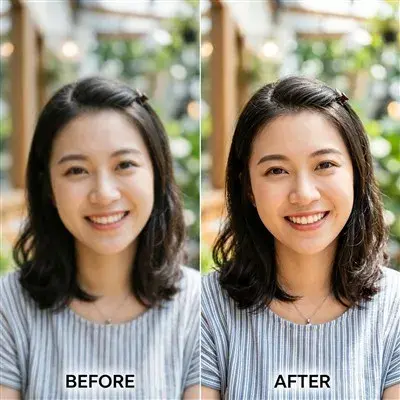
PicCat Restoring your images and input…

AI intelligent 4K lossless amplification

AI lossless amplificationInstructions for use

PicCat AI lossless enlargement tool supports improving image resolution and adding details, and is suitable for low-definition material enlargement, product image enhancement, old photo enlargement and pre-printing processing.

Applicable scenarios

  • Enlarge small-size pictures, avatars, product images, old photos and design materials.
  • It is suitable for pictures that need to be printed, uploaded, cropped or re-edited after the resolution is improved.
  • It can be used in combination with general sharpening, old photo restoration, and black and white coloring.

Usage steps

  1. When uploading pictures that need to be enlarged, give priority to materials with clear subjects and less compression marks.
  2. Select lossless amplification mode and let AI enhance edges, textures and details.
  3. Preview the enlarged clarity and naturalness, and download the high-resolution result after confirmation.

AI lossless amplificationTreatment effect case

Pixel illustration enlargement

Enlarge low-resolution pixel illustrations, improve aliasing and restore Lucky Cat pattern details

City night view enlargement

Enhance the clarity of night scene building lights, tower structures and distant city outlines

Magnification of architectural details

Enlarge the photos of ancient buildings and enhance the texture levels of eaves, paintings and stone railings

Frequently Asked Questions

What is the difference between lossless enlargement and image clarity?

Lossless enlargement focuses on improving image size and resolution, while image clarity focuses on repairing blur, noise and details.

Can small pictures be enlarged to any size?

Pictures that are too small or severely compressed will still be limited by the original information after enlargement. It is recommended to choose a reasonable magnification based on the actual usage scenario.

Is the enlarged product image suitable for listing?

Suitable for improving the display effect of low-definition product images. It is still recommended to check whether the edges, text and material texture of the product are natural before it is officially put on the shelves.

Real picture modification case

AI intelligent 4K lossless amplification

Upload an image for high-resolution upscaling, compare dimensions and details, then download.

Case 01

Pixel illustration enlargement

Enlarge low-resolution pixel illustrations, improve aliasing and restore Lucky Cat pattern details

Low resolution→After amplification
  • Upload the image you want to enlarge and click Upscale.
  • Zoom in to check text, edges and textures, and verify the output dimensions before downloading.
Examples show the processing effect. Results depend on source image clarity and settings.
AI picture lossless amplification case: the Lucky Cat illustration in an old-fashioned display is clearly enlarged
AI picture lossless enlargement case: pixel Lucky Cat illustration in old monitor before enlargement
Case pictures are loading...
Case 02

City night view enlargement

Enhance the clarity of night scene building lights, tower structures and distant city outlines

Low definition night scene→After amplification
  • Upload the image you want to enlarge and click Upscale.
  • Zoom in to check text, edges and textures, and verify the output dimensions before downloading.
Examples show the processing effect. Results depend on source image clarity and settings.
AI picture lossless amplification case: Guangzhou Tower City night scene details after clear amplification
AI picture lossless enlargement case: low-definition Guangzhou Tower city night view before enlargement
Case pictures are loading...
Case 03

Magnification of architectural details

Enlarge the photos of ancient buildings and enhance the texture levels of eaves, paintings and stone railings

Low definition architecture→After amplification
  • Upload the image you want to enlarge and click Upscale.
  • Zoom in to check text, edges and textures, and verify the output dimensions before downloading.
Examples show the processing effect. Results depend on source image clarity and settings.
AI picture non-destructive enlargement case: after enlarging the details of the eaves and railings of the ancient building of the Temple of Heaven
AI picture non-destructive enlargement case: before enlarging the details of the ancient building in the Temple of Heaven
Case pictures are loading...
View user guide