Restoration of old family photos
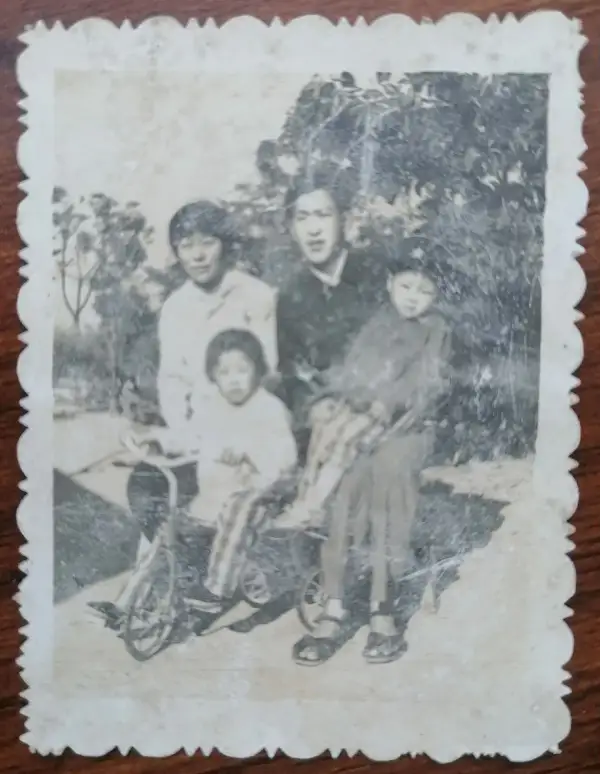
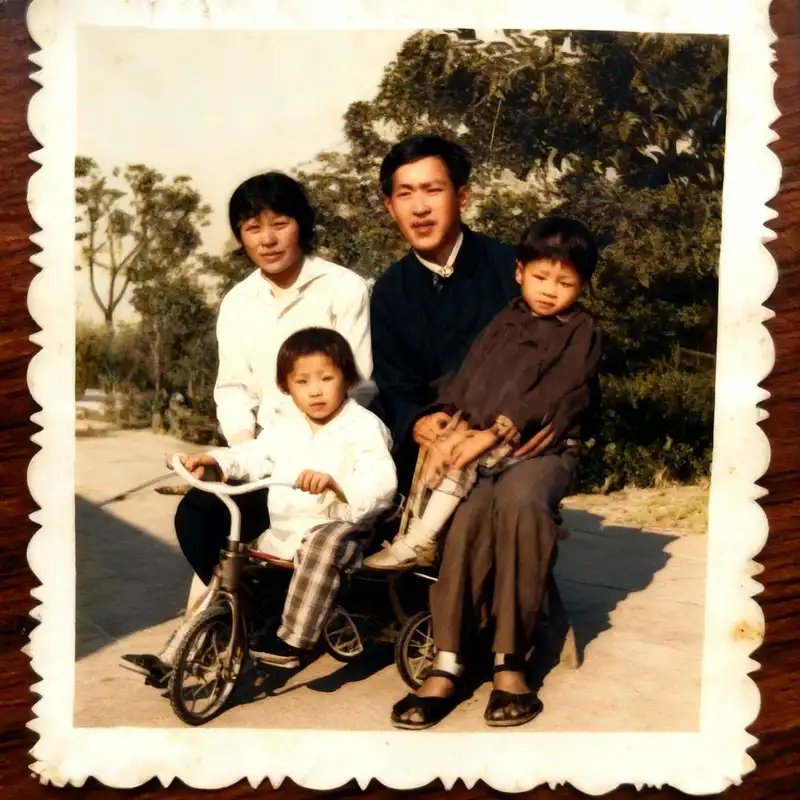
When old photos become yellow, faded, blurry or slightly damaged, you can first enhance the clarity and then save the electronic version.
 Restoring your images and input…
Photo restoration special topic
Upload blurry, faded, low-definition or old photos, enhance the image quality online, improve details and clarity, suitable for old family photos, ID information, profile photos and batch album organization.
Suitable for these scenarios
When old photos become yellow, faded, blurry or slightly damaged, you can first enhance the clarity and then save the electronic version.
Low-definition avatars, old ID photos and social avatars can improve details through image quality enhancement.
When multiple historical photos, scans or data pictures need to be unified and clear, batch photo restoration can be used.
Operation path
Frequently asked questions
Complete restoration cannot be guaranteed. Tools can enhance the look and feel of clarity and detail, but content that is missing, heavily obscured, or damaged cannot be restored to its original appearance.
Try to use a higher resolution scan, keep the photo flat, avoid reflection and cropping edges, so that the repair result is more stable.
You can first use several representative photos to test the effect, and then put the same batch of album photos into the batch photo repair tool for processing.
Depends on the original image resolution and repair results. Before printing, it is recommended to zoom in to check whether faces, text and key details look natural.