Existing picture adaptation platform size
The designed pictures are generated into commonly used frames such as Xiaohongshu, Douyin, public accounts, Bilibili and e-commerce platforms, focusing on checking the cropping and image expansion areas.
 Restoring your images and input…
E-commerce poster and cover design special topic
When existing finished pictures need to be adapted to Xiaohongshu, Douyin, public accounts or e-commerce platforms, use platform cover tools to generate different sizes; when it is necessary to create new visuals based on products, titles, selling points and styles, use AI poster generation. The input and inspection focus of the two types of tasks are different.
Suitable for these scenarios
The designed pictures are generated into commonly used frames such as Xiaohongshu, Douyin, public accounts, Bilibili and e-commerce platforms, focusing on checking the cropping and image expansion areas.
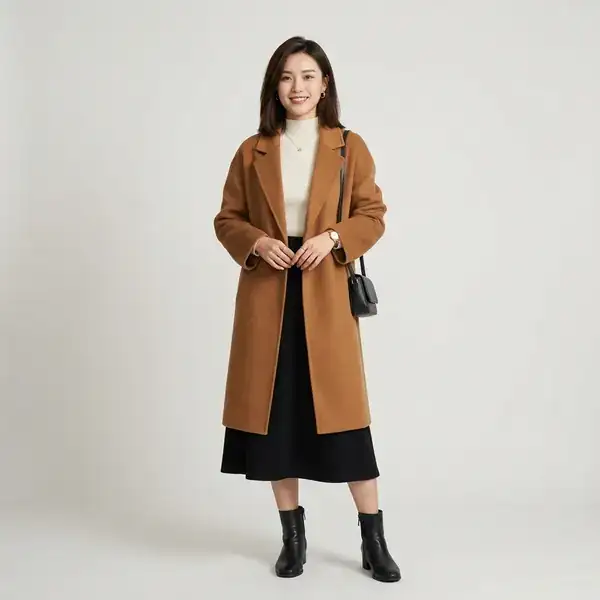
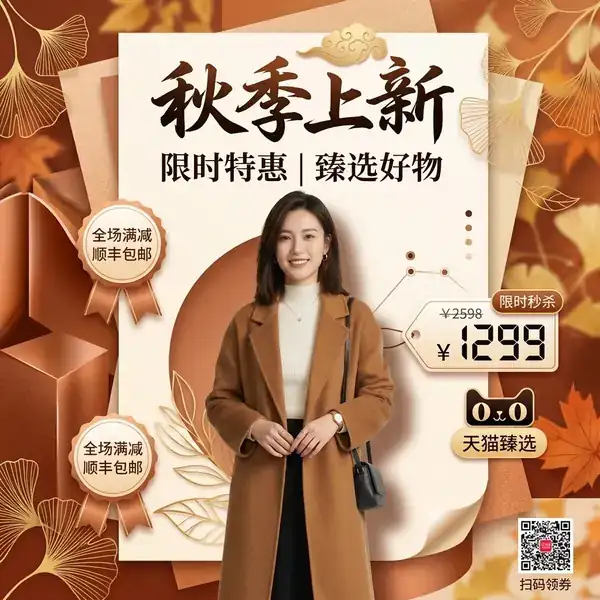
Upload the product material and enter the title, selling point and style, generate a marketing visual draft, and then manually check the text, price and product details.
When multiple products need to be displayed on the same screen, first use the product puzzle to organize the materials, and then enter the graphic editor to add accurate text and brand elements.
Operation path
Frequently asked questions
The platform cover mainly adapts existing pictures to different sizes and completes the background; AI poster generation will combine products, titles, selling points and styles to create new layouts and visuals.
There may be typos, garbled characters, repeated words or numerical errors. When officially publishing, it is recommended to use a graphic editor to re-enter the brand name, price and key selling points.
Commonly used frames can be generated by default, but platform rules and security areas may change, and it is still necessary to preview and check the latest requirements on the target platform before publishing.