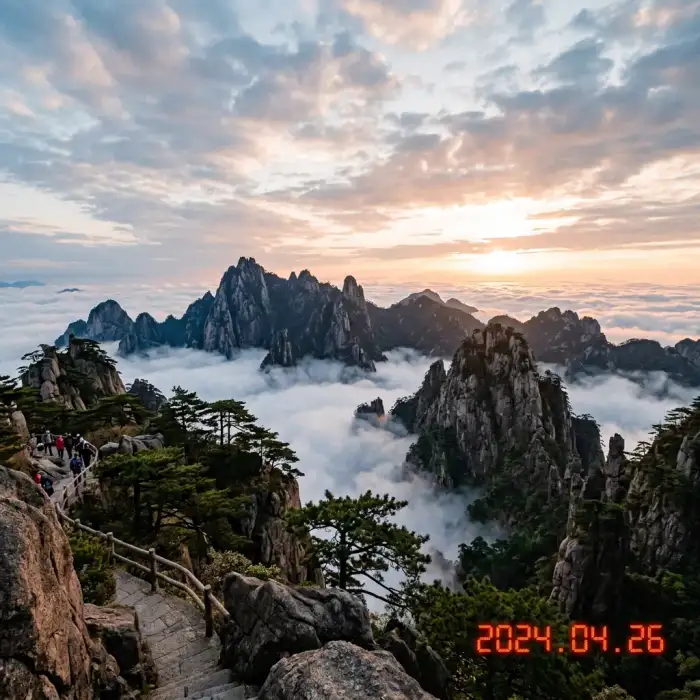
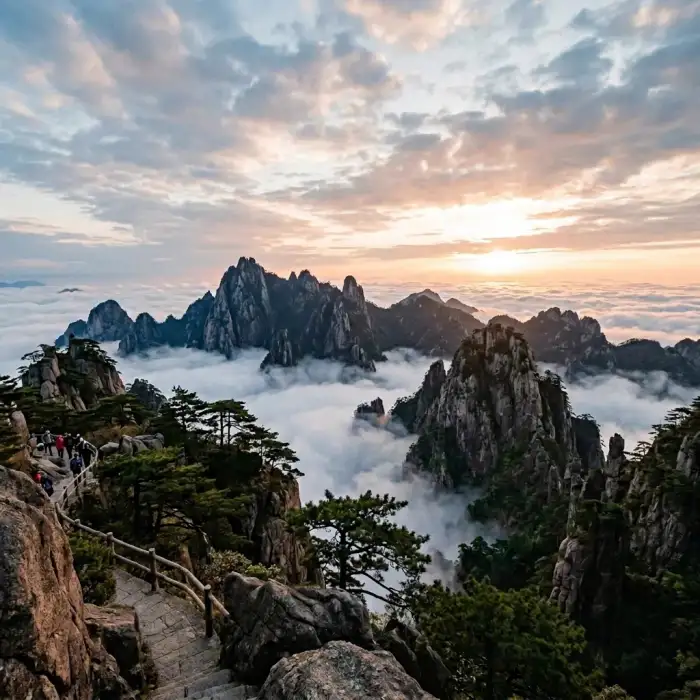
Photo date and time stamp
Clean up old dates, timestamps and shooting marks on your photos to restore a cleaner picture.
 Restoring your images and input…
AI image text processing special topic
Smudge the date, subtitles, sticker copy, poster words or other redundant text in the picture, and AI will try to complete the background based on the color and texture around the text. Suitable for organizing your own or authorized operational diagrams, screenshots and photo materials.
Suitable for these scenarios
Clean up old dates, timestamps and shooting marks on your photos to restore a cleaner picture.
Clean up subtitles, arrows or redundant annotations in screenshots, course materials and video screens.
Clean up the expired prices, event text and old slogans in the self-owned or authorized materials, and then continue to change the words or rearrange the format.
Operation path
Frequently asked questions
Not necessarily. Solid colors and regular textures are easier to complete; clothing folds, hair, character faces, and architectural lines may appear blurred or deformed.
Text elimination only removes the original text and fills in the background; AI traceless word modification is used to replace the original text with new text content.
When the text range is too large, the surrounding reference information is insufficient, or the text covers key structures, AI may repeat nearby textures. It is recommended to narrow the scope and deal with it in sections.
Please only process images that you own, have been authorized, or comply with usage rules. Tool processing is not equivalent to obtaining the copyright or use authorization of the original image.