PicCat Restoring your images and input…

E-commerce product image optimization

AI product image refinement: remove defects online and improve product quality

Upload the main image or detailed image of the product, and AI can help clean up surface dust, fingerprints, small scratches and messy reflections, and try to retain the product outline, labels and real materials. After the processing is completed, you can download it directly and use it to organize pictures before product display.

Remove dust defectsOrganize messy reflectionsImprove product quality
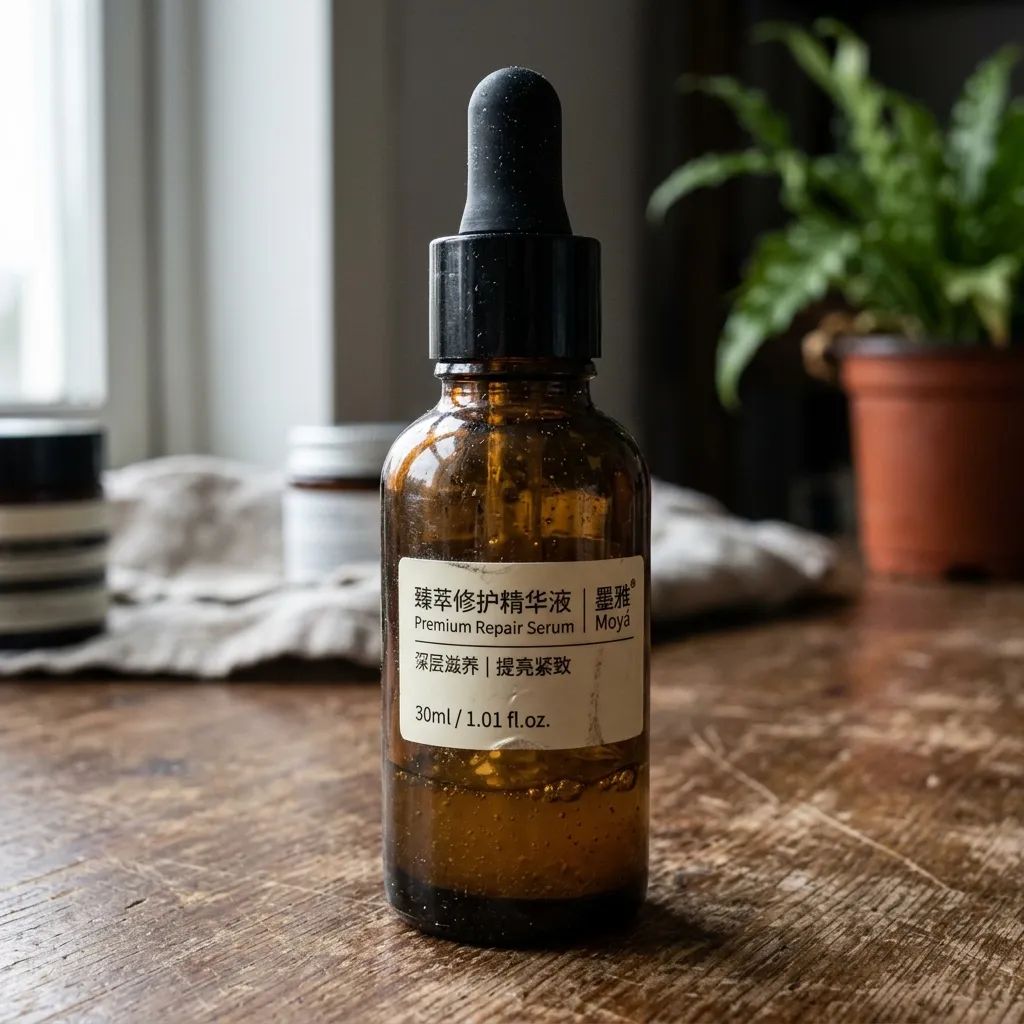
Picture of defective product
Product images with dust, reflections and minor flaws
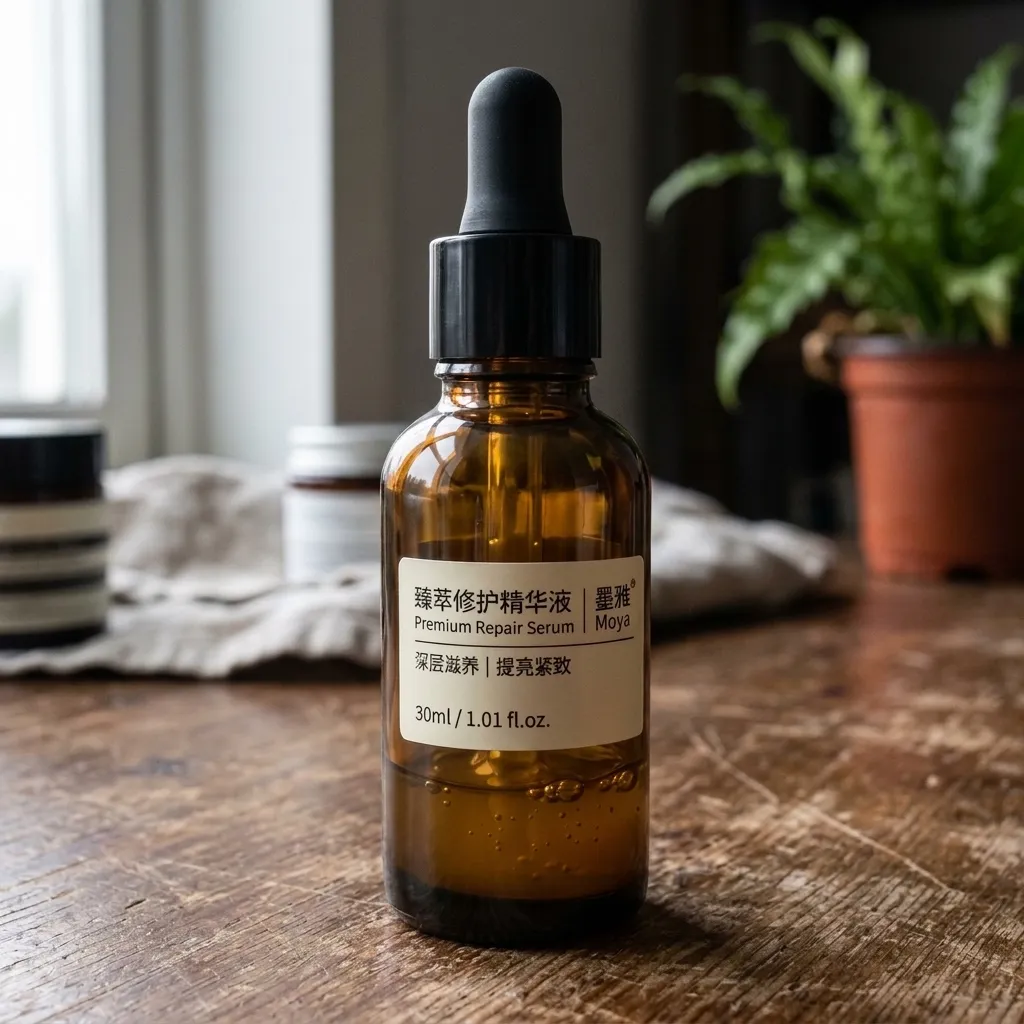
After refinement
Example after AI cleans surface defects of goods

Suitable for these scenarios

Which product image problems are suitable for AI refinement?

✨

Metal and glass reflective finishing

Reduce the messy reflections and local dirt caused by the shooting environment, but keep the normal highlights that can reflect the shape of the material.

🧹

Dust, fingerprints and small scratches

Clean local dust, fingerprints and small flaws on the surface of the product, and check whether edges, textures and labels are still authentic after processing.

📦

Independent debris elimination

When there are independent objects such as cables and desktop accessories in the screen, tools for eliminating debris can be used instead to avoid accidentally repairing the main body of the product together.

Real effect

Before uploading the picture, first check the modification effect

AI product refinement case: dark glass essence bottle after cleaning dust and fingerprints
AI Product Refinement Case: Pre-processing Picture of Dark Glass Essence Bottle with Dust and Fingerprints
Case pictures are loading...

Glass essence bottle removes blemishes

Clean the dust, fingerprints and small scratches on the bottle body, and retain the transparency, reflection and label details of the dark glass.

AI product refinement case: the picture of a metal watch after dust and fingerprints have been sorted
AI product refinement case: the picture before processing of metal watch strap dust and fingerprints
Case pictures are loading...

Metal watch polishing and finishing

Clean the floating dust, fingerprints and disturbing reflections on the dial and metal strap, while retaining the metal highlights and edge structure.

AI product refinement case: white ceramic tea set after cleaning stains and dust
AI product refinement case: white ceramic tea set with stains and dust before treatment
Case pictures are loading...

Ceramic tea set cleaning

Clean the stains, dust and desktop debris on the cup body, and retain the highlights, shadows and utensil outlines of the ceramic glaze.

AI product refinement case: Beauty gift box after cleaning dust and scratches
AI product refinement case: beauty gift box with dust and scratches before processing picture
Case pictures are loading...

Beauty gift box texture refinement

Remove dust, small scratches and uneven reflections from the surface of the gift box, retaining the packaging texture, corners and true shadows.

Operation path

Three steps to complete product drawing refinement

  1. Upload a clear picture of the product and confirm that what needs to be dealt with is surface dust, fingerprints, small scratches or messy reflections.
  2. Click to start refinement and wait for the processing to be completed; if you need to delete independent debris, you can use the debris elimination tool instead.
  3. After processing, enlarge and check the product outline, logo, label text, material, highlight and color. When distortion is found, reduce the intensity or return to the original image.
Open AI product map refinement tool

Suggestions for avoiding material and detail distortion

  • Metal and glass need to retain reasonable highlights and reflections. Smoothing them all will make the product lose its true three-dimensional feel.
  • Packaging text, barcodes, specifications and brand logos are easily deformed during refinement and should be enlarged and checked individually.
  • Please keep the original image before processing; it is recommended to check the product edges, labels and key selling point areas again before exporting.
Browse all image processing topics

Frequently asked questions

Frequently Asked Questions about AI Product Picture Refinement

Can AI retouching completely replace professional commercial retouching?

No. It is suitable for common dust, small defects and local appearance improvement. High-demand material control, color management, structural repair and brand standards still require manual retouching.

Why does the product look like plastic after finishing?

It may be that the processing intensity is too high, and real textures, highlights and small shadows are over-smoothed. You can reduce the intensity or retain more of the original material detail.

Can AI product image refinement modify product color?

Product finishing is mainly used to clean up defects and improve texture. When you need to create SKU diagrams of different colors, please use the product color change tool and check whether the color matches the actual product before exporting.