Visual renovation of old family photos
Generate color versions of black and white group photos and daily photos in family photo albums while retaining the original black and white files.
 Restoring your images and input…
Picture restoration
Generate color visual previews for black and white, grayscale or faded photos, and AI will infer colors based on content such as people, skies, plants and buildings. The original black and white image does not preserve true color information, so the colors of clothes, vehicles and historical scenes cannot be regarded as factual restorations.
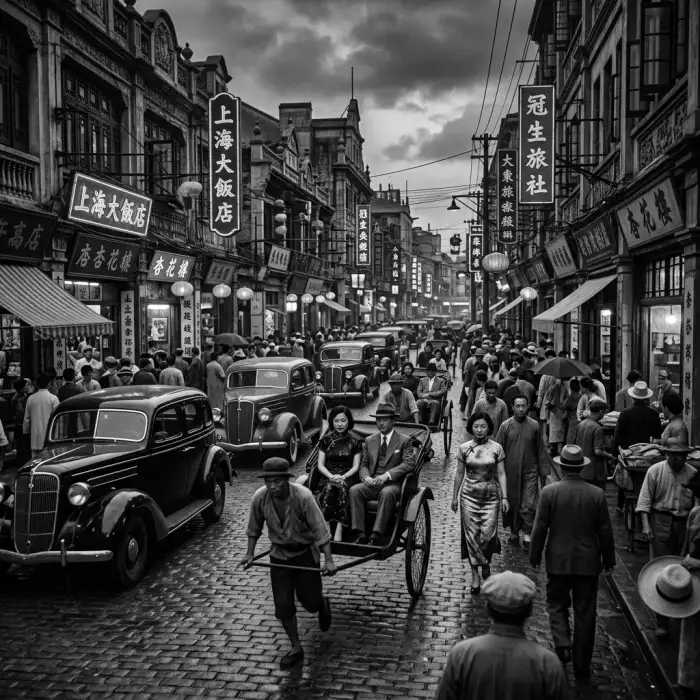
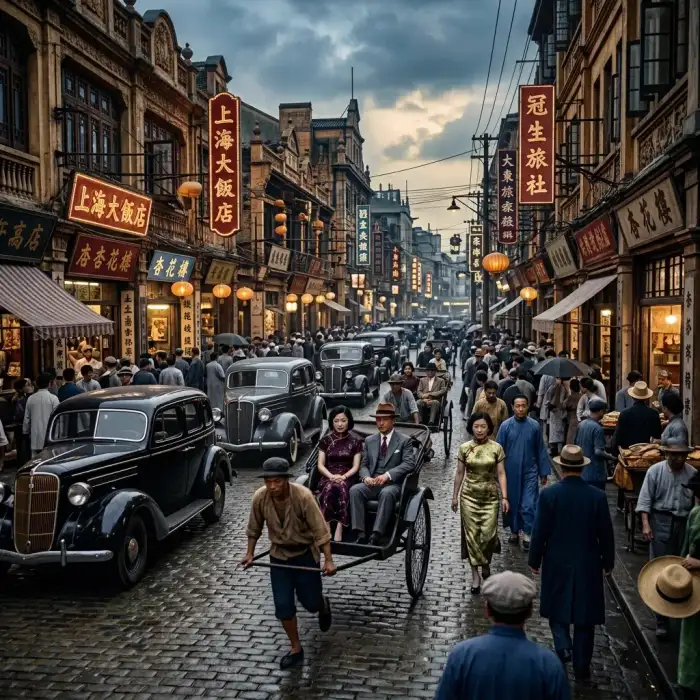
Suitable for these scenarios
Generate color versions of black and white group photos and daily photos in family photo albums while retaining the original black and white files.
Make a colored version of historical data that is easy to view. When publishing, it should be noted that the color is guessed by AI and does not represent historical facts.
Make the black and white photos that I own the copyright into color commemorative pictures, and check whether the character's skin color, clothing and background are coordinated.
Operation path
Frequently asked questions
No. AI infers color based on common visual patterns and has no way of knowing what color a piece of clothing, vehicle, or building actually is at that time.
It may be that the original image is faded, the face is too small, the lighting is complex, or the training data is inferred from bias. You can fix the original image first, or use the result as a creative preview rather than a factual record.
When there are scratches, mildew spots, damage or serious blurring, it is recommended to repair it first to make the outlines of people and objects clearer before painting.