PicCat Restoring your images and input…

AI partial redrawing

AI replaces picture content: Modifies objects in pictures online

Upload the picture, circle the objects that need to be replaced and describe the new content. AI tries to retain the original scene, light and shadow, and composition without re-shooting or designing from scratch.

Replace picture objectPartial content modificationOnline use
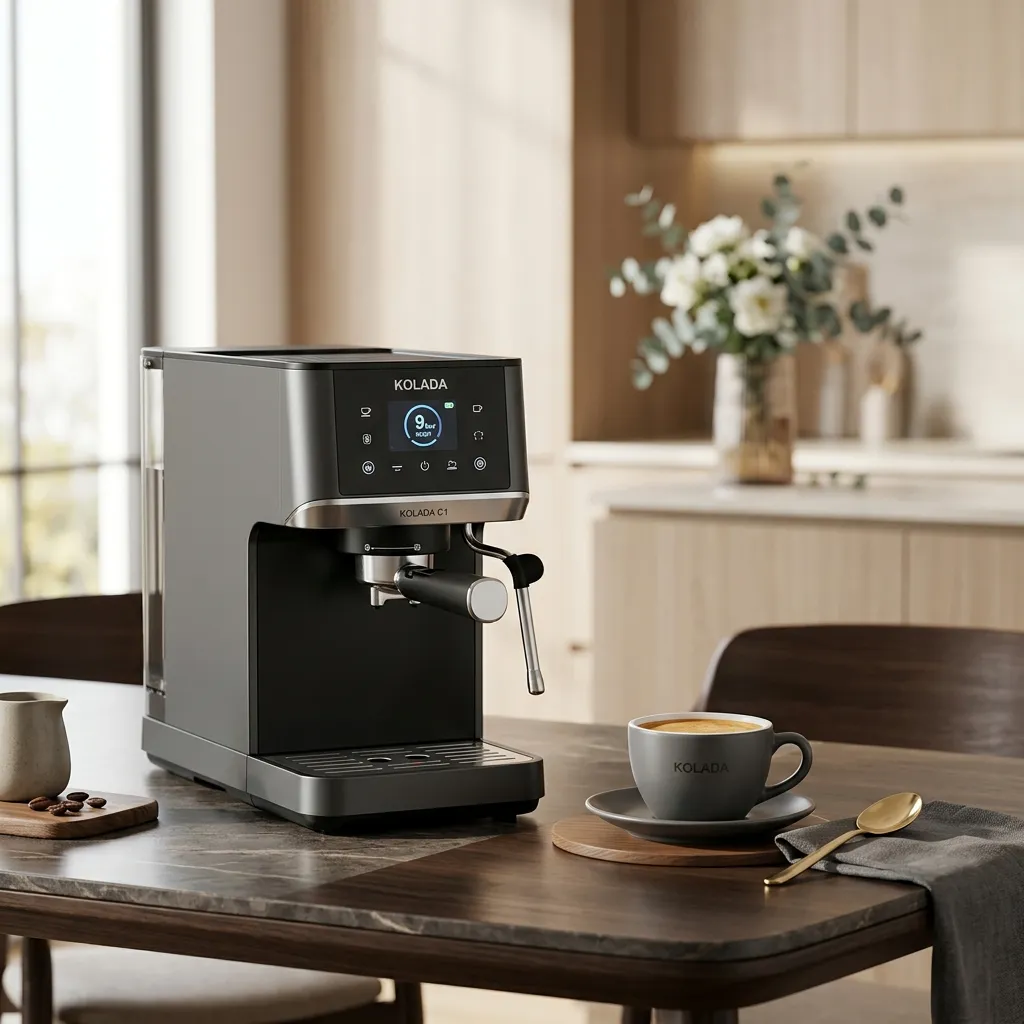
Original coffee machine
Before replacing the coffee machine in the kitchen scene
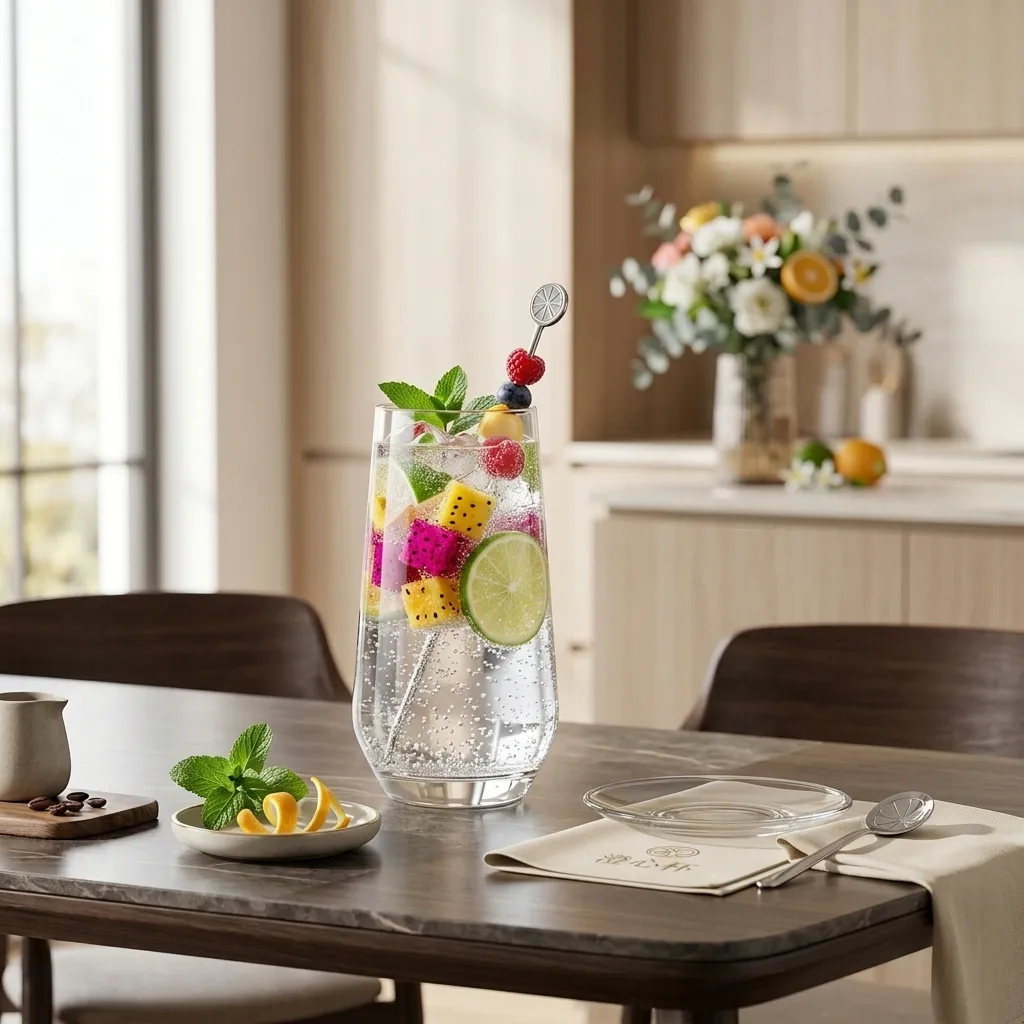
Replace fruit drink
Kitchen scene after AI replaces coffee machine with fruit drink

Suitable for these scenarios

Which pictures are suitable for replacing partial content?

🛍️

Replace goods and main image elements

Replace goods, props or displays in existing scenes to quickly produce visual materials of different product versions.

🏠

Adjust home and space furnishings

Replace partial elements such as furniture, lamps, and ornaments for demonstration of your own space plan and content creation.

🌿

Modify scene objects in photos

Replace objects in outdoor or lifestyle photos with new content while checking for occlusion, shadows, and edge blending.

Real effect

Before uploading the picture, first check the modification effect

AI replacement picture content example: after the kitchen coffee machine is replaced with fruit drink
AI replacement picture content example: before kitchen coffee machine replacement
Case pictures are loading...

Kitchen scene replaces main object

Replace the coffee machine on the kitchen table with a fruit drink, keeping the tabletop, utensils and natural light.

AI replacement picture content example: after the vase in the living room is replaced with a floor lamp
AI replacement picture content example: before replacement of vase in the living room
Case pictures are loading...

Home space replacement soft decoration

Replace the decorative vases in the corner of the living room with floor lamps while retaining the sofa, wall and overall lighting.

AI replacement image content example: after replacing bicycles in the park with benches
AI replacement picture content example: before park bicycle replacement
Case pictures are loading...

Outdoor photo replacement object

Replace bicycles on park grass with benches, maintaining the original structure of vistas, trees, and trails.

AI replacement picture content example: after wireless headphones are replaced with portable speakers
AI replacement picture content example: wireless headset product picture before replacement
Case pictures are loading...

Product main picture replacement product

In the same home scene, wireless headphones are replaced with portable speakers, retaining the desktop, tray and background atmosphere.

Operation path

Replace objects in pictures in three steps

  1. Upload the picture that needs to be processed, smear or frame the object area that needs to be replaced in the workbench.
  2. Enter the content you wish to replace, and add material, color, angle or relationship with the surrounding environment.
  3. After generation, check the size, occlusion, light and shadow and edges of the new object, and then continue to make local adjustments based on the results.
Open AI partial redraw tool

Tips for making partial replacement more natural

  • First selecting a complete target object with clear boundaries is usually easier to obtain stable results than covering a large area of ​​background at once.
  • When describing a new object, describing the color, material, perspective, and placement at the same time helps to make the result more consistent with the original scene.
  • If you only need to clean up the original objects without adding new content, you should use the object elimination tool instead of partial replacement.
Browse all image processing topics

Frequently asked questions

AI replaces picture content FAQ

Can AI replace objects in pictures?

Yes. After uploading the image, select the area to be replaced, describe the type, color, material and location of the new object, and then check whether the generated result blends with the surrounding light and shadow.

Can the original image background be completely retained after replacement?

AI will try to retain unselected scenes, but shadows, occlusion relationships and textures near the target may change with the generation of new objects. It is recommended to process complex pictures in separate regions.

What is the difference between replacing content and eliminating objects?

Replacement content will generate a new object at the specified location; elimination of the object will remove the original object and complete the background. Select the corresponding tool according to whether you need to add new content.