Public sharing on social platforms
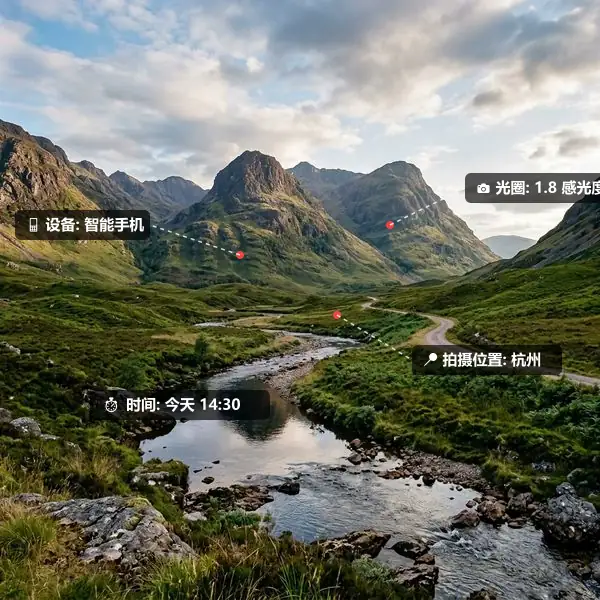
Clear GPS, shooting time and device parameters before publishing personal photos to reduce location and device information exposure.
 Restoring your images and input…
Image Security Tools
Scan the common EXIF, GPS, camera parameters and text metadata in the picture locally in the browser, and then re-encode to generate a new file that does not carry the original metadata. Images are not uploaded to the server, but export formatting and recompression may affect transparent backgrounds, color, volume, or subtle quality.

Suitable for these scenarios
Clear GPS, shooting time and device parameters before publishing personal photos to reduce location and device information exposure.
Remove unnecessary metadata before submitting avatars, works and certification images, and confirm the format and clarity required by the platform.
Clean the location and equipment information before uploading real-shot pictures of your own products, and keep the unprocessed original files as personal backups.
Operation path
Frequently asked questions
The current privacy clearing function reads images in the browser and re-encodes them through Canvas without calling the image upload interface; trusted devices and browsers should still be used to process sensitive files.
Possibly. JPG and WebP recompress, PNG generally maintains lossless pixels but file sizes may vary, and color profiles and format conversions may also affect display.
This cannot be guaranteed. The tool is designed to clean common EXIF, GPS, XMP and text metadata and is not responsible for detecting steganographic content, sensitive information visible in images, or all vendor-private fields.