My test paper repeats practice
Clean up the test paper answers that you have done and have the right to reuse, and check whether the questions, options and graphics are complete before printing.
 Restoring your images and input…
Picture elimination
Upload test papers, exercise books or homework pictures that have the right to be reused, and AI will try to identify and erase handwritten answers and correction traces. After the processing is completed, the printed text, formulas, table lines and graphics should be checked page by page to confirm that they have not been accidentally deleted before downloading or printing.
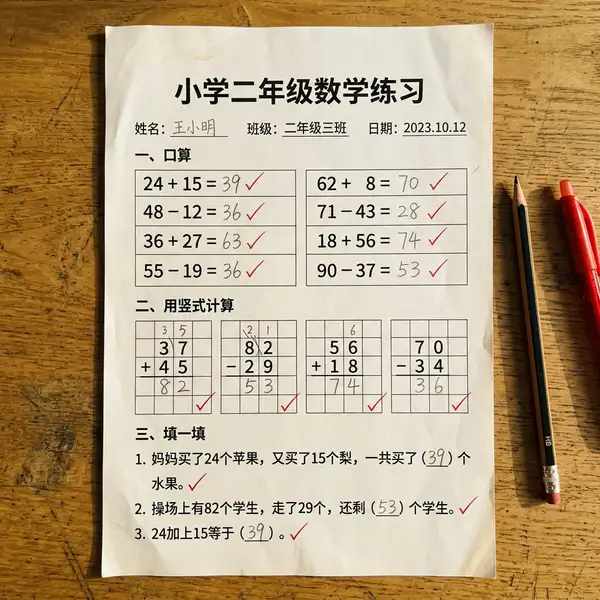
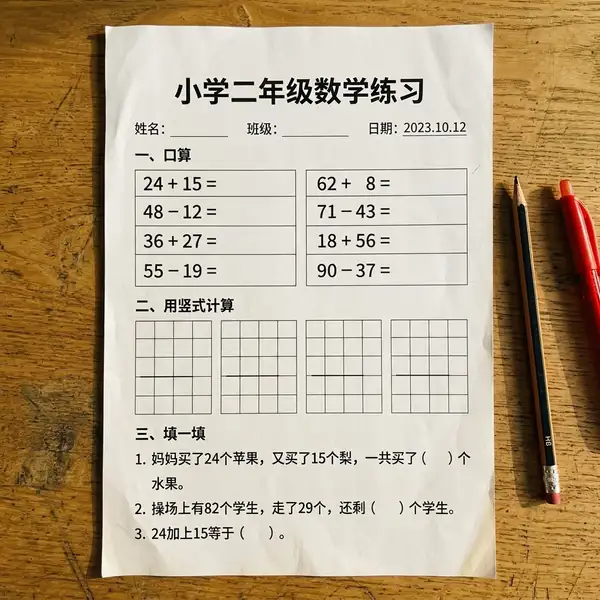
Suitable for these scenarios
Clean up the test paper answers that you have done and have the right to reuse, and check whether the questions, options and graphics are complete before printing.
Erase wrong answers and red pen annotations, organize the questions into personal wrong question materials, and retain the necessary original analysis.
Process the exercise book pages that are shot flat and have clear text; the entire material involving copyright should comply with the scope of authorization and reasonable use.
Operation path
Frequently asked questions
Not guaranteed. When handwriting and printed text overlap, pictures are blurred, or line colors are similar, question stems, table lines, and graphics may be mistakenly deleted and require manual proofreading.
You can try to identify handwriting and correction traces of multiple colors, but the recognition effect will be affected by the thickness of the handwriting, background color, shooting clarity and overlap.
It is recommended to check and print a sample page page by page. Automatic erasure may leave residual images or change the content of the question. Important information should be compared with the original image.